
What Is CareNote Plus?
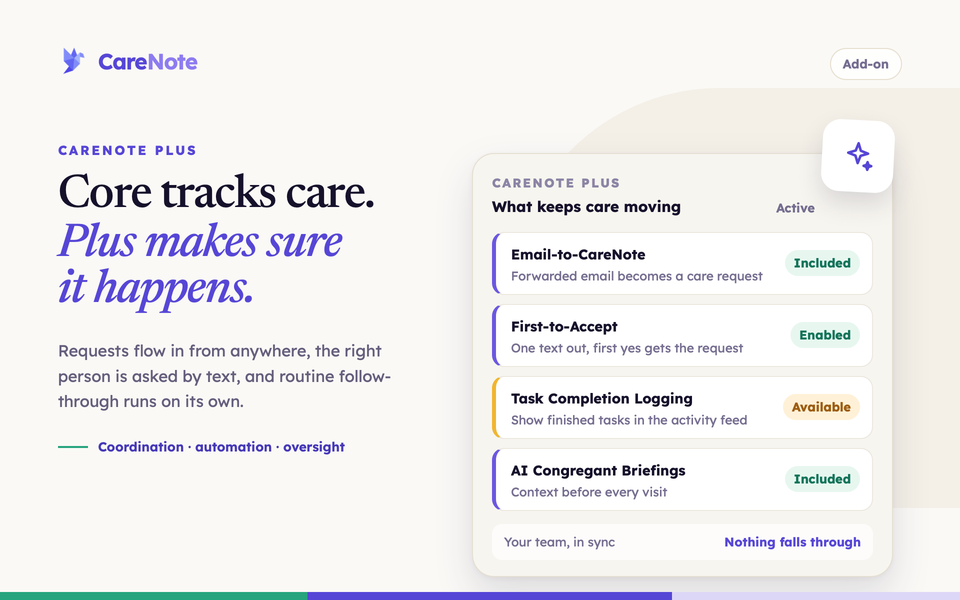
Every care team hits the same wall. One pastor can hold a handful of situations in their head: who is in the hospital, who is waiting on a call back, who asked for prayer last Sunday. Add a few dozen more people and a few more helpers, and nobody can track it all by memory anymore.
Watch: what CareNote Plus adds.
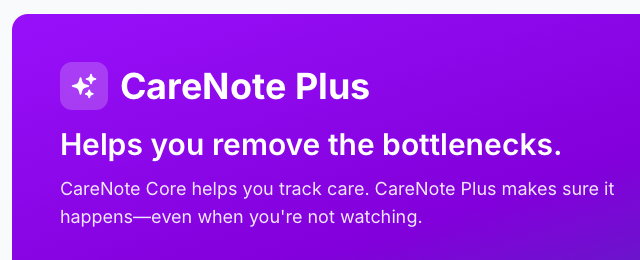
That is what CareNote Plus is built for. CareNote Core helps you track care. CareNote Plus makes sure it happens, even when you are not watching. This guide shows what Plus includes, what it does not, and what you do next, whether you are the team owner or someone on the team.
What CareNote Plus is
CareNote Plus is an add-on to your CareNote account. The care-tracking foundation stays the same with or without it: profiles, care requests, interactions, tasks and groups. Plus adds coordination, automation and oversight on top, and a handful of group and team tools are part of it (listed below).
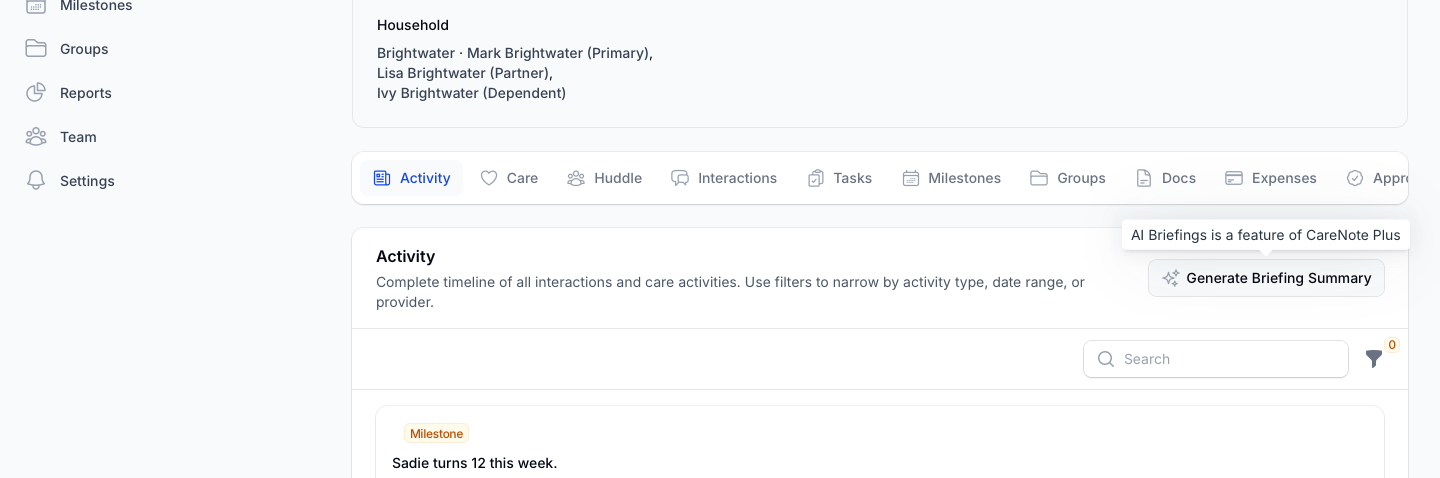
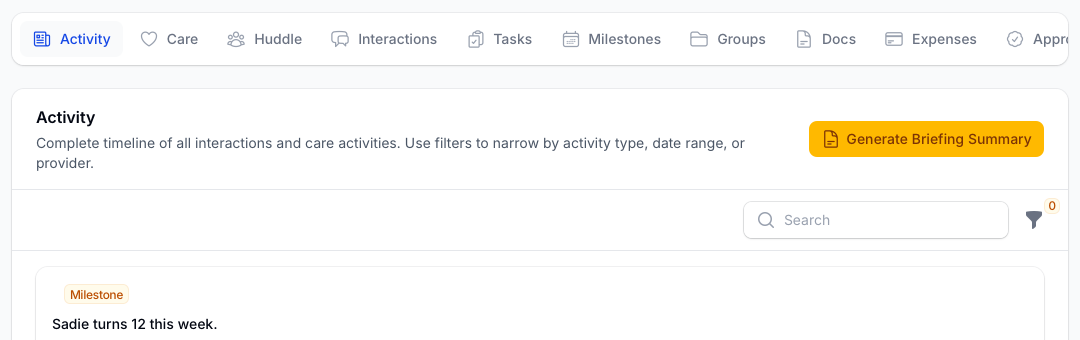
You will usually meet Plus through a grayed-out button. Open a person's profile, go to the Activity tab, and look for Generate Briefing Summary. When your team does not have Plus, the button is gray, and hovering shows "AI Briefings is a feature of CareNote Plus."
1. What CareNote Plus includes
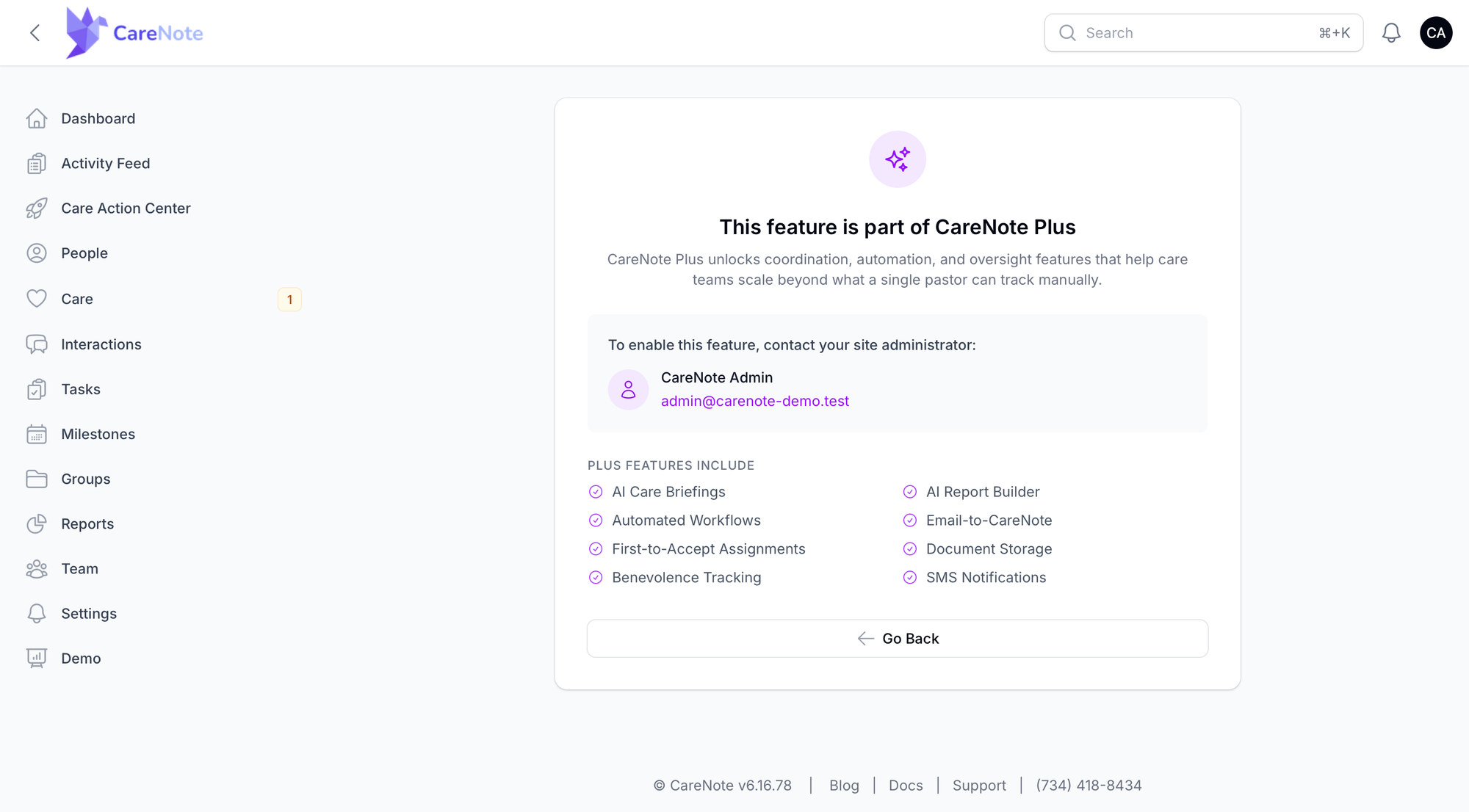
The Plus information page lists eight headline features:
- AI Care Briefings: a written summary of a person's recent care history, so you walk into a visit with context.
- AI Report Builder: build reports on your care activity with AI help.
- Automated Workflows: actions that run when something happens, so routine steps do not depend on memory.
- Email-to-CareNote: forwarded emails become care requests.
- First-to-Accept Assignments: send a request to a whole group, and the first person to respond gets it.
- Document Storage: attach files to profiles and groups.
- Benevolence Tracking: track expenses and financial help with accountability.
- SMS Notifications: text alerts for your helpers and staff.
Behind those eight, these are also Plus today:
- Intake and requests: Form Builder.
- Team coordination: Volunteer SMS Acceptance (helpers accept a care request by replying to a text), Additional Care Providers, Benevolence Approvals, Huddle, Custom Dashboards and Volunteer Report Confirmation.
- Planning Center sync extras: PCO Forms, Tabs, Lists, Notes, interaction push, anniversaries and profile photos.
- Breeze sync extras: Tag Sync, which imports Breeze tags onto profiles and folders into groups.
- Record keeping and tracking: Standing Rules, Task Completion Logging and AI briefings on care requests.
2. What is not part of Plus
Some add-ons look similar but are separate. You find them in the same Optional Add-ons group, and each one is turned on by itself:
- S.H.A.P.E
- Care Table (meal sign-ups)
- Care Number
- Care Needs
- The Church Cares Toolkit (free)
- Zoom Meetings is an Enterprise setting, not part of Plus.
3. If you are the team owner: turn on and manage Plus
Owners do not need to ask anyone. You manage Plus yourself.
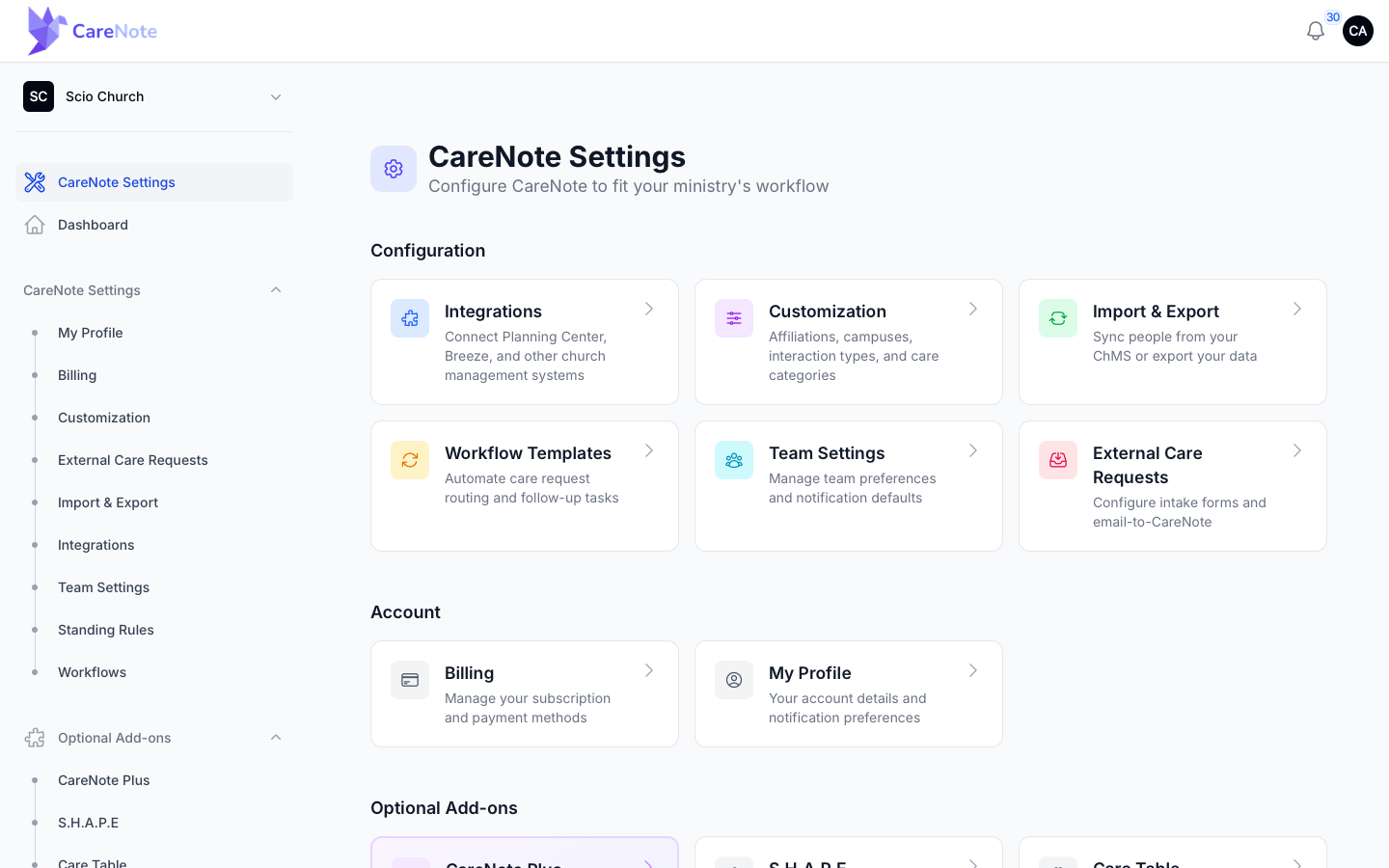
- Open CareNote Settings for your team.
- In the sidebar, open Optional Add-ons and choose CareNote Plus.
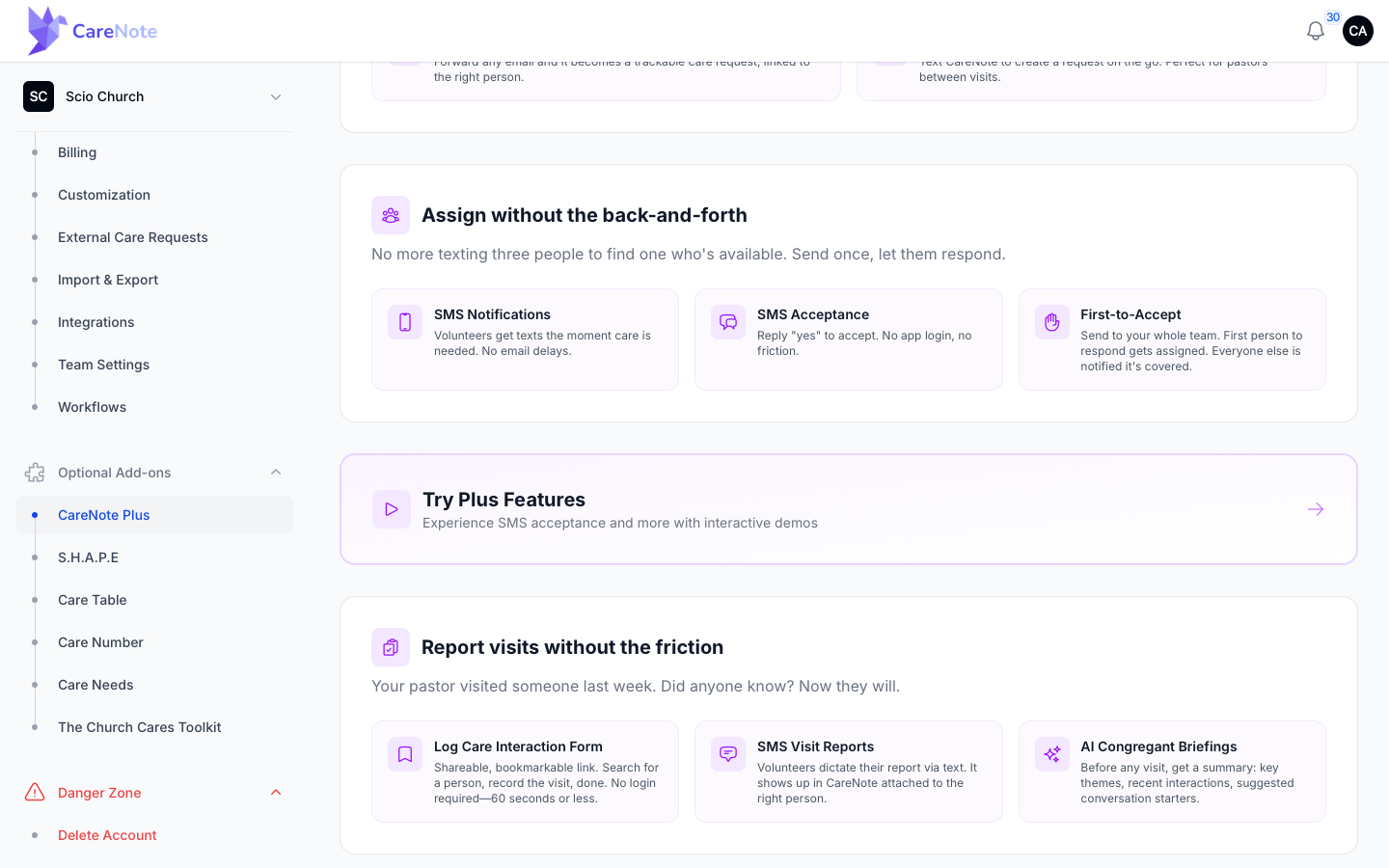
- If your team does not have Plus yet, you see a page titled "Helps you remove the bottlenecks," with the story behind each feature and a Try Plus Features banner that lets you experience SMS acceptance and more with interactive demos. Use the purchase button on that page to start.
- If your team has Plus, the same page becomes a management dashboard.
4. Use the Plus dashboard
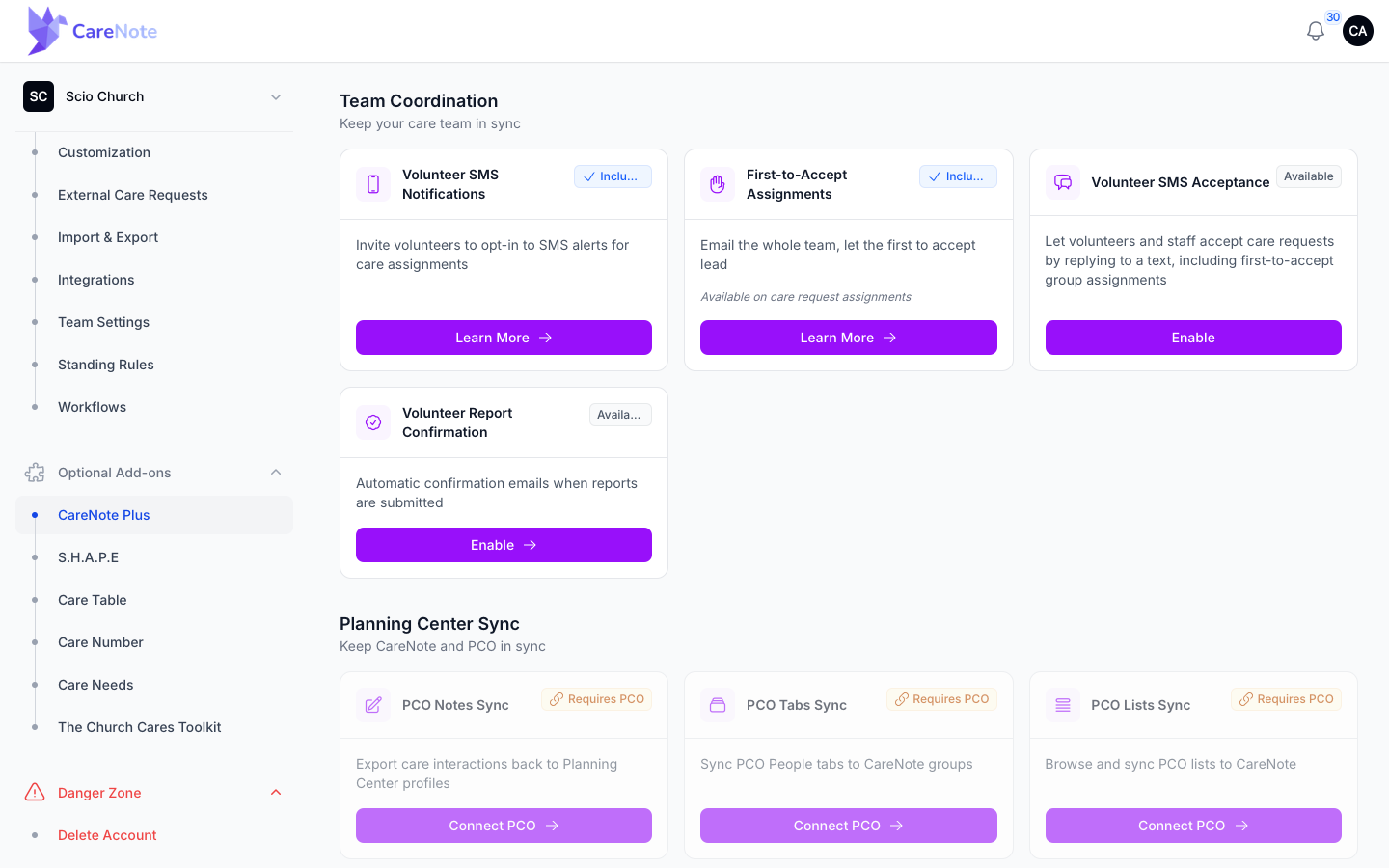
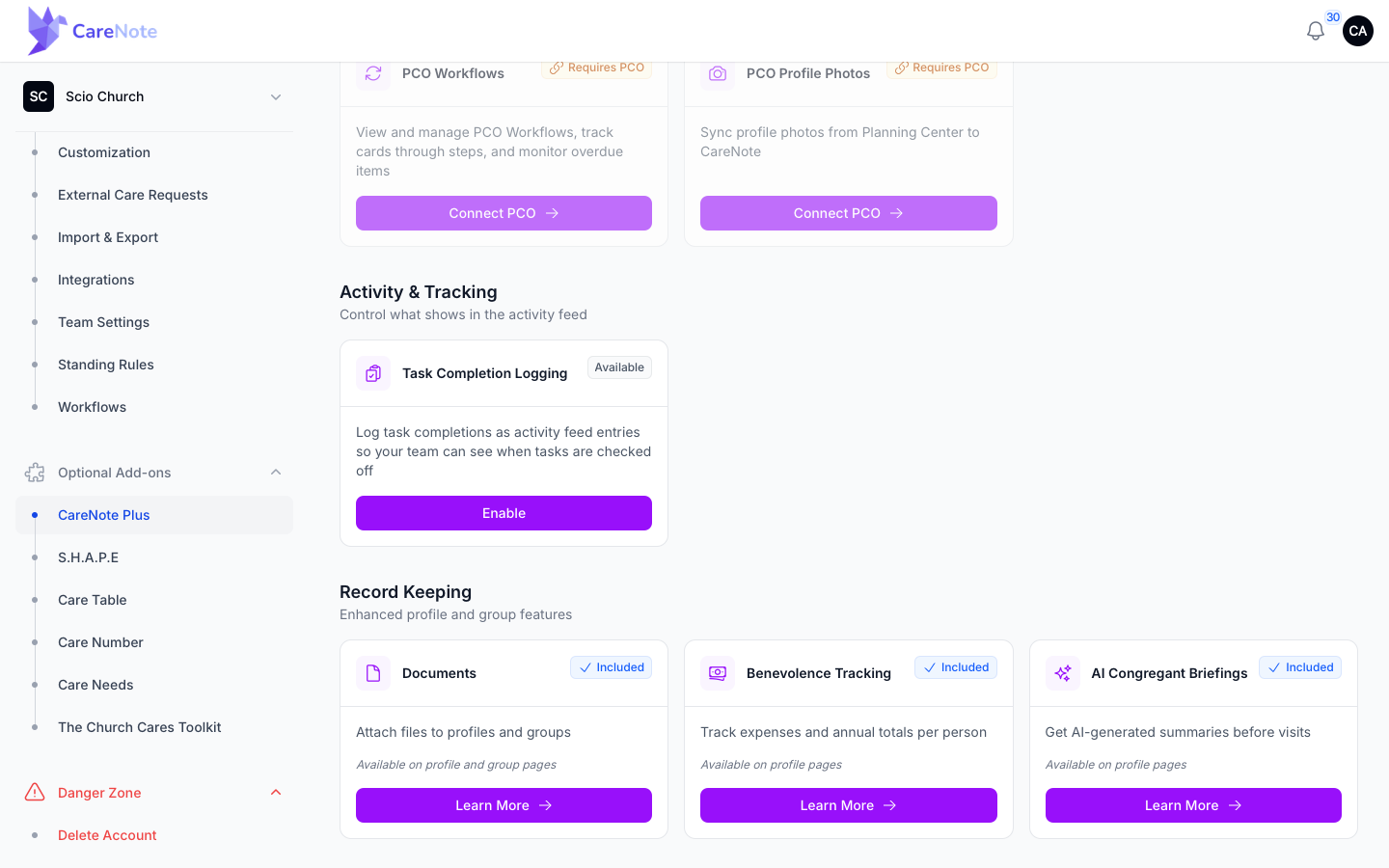
Once Plus is active, a green Active Subscription label tops the page. Features sit on cards in groups: Care Request Intake, Team Coordination, Planning Center Sync, Activity & Tracking and Record Keeping. Each card has a status and one button, such as Manage, Learn More, Enable or Disable.
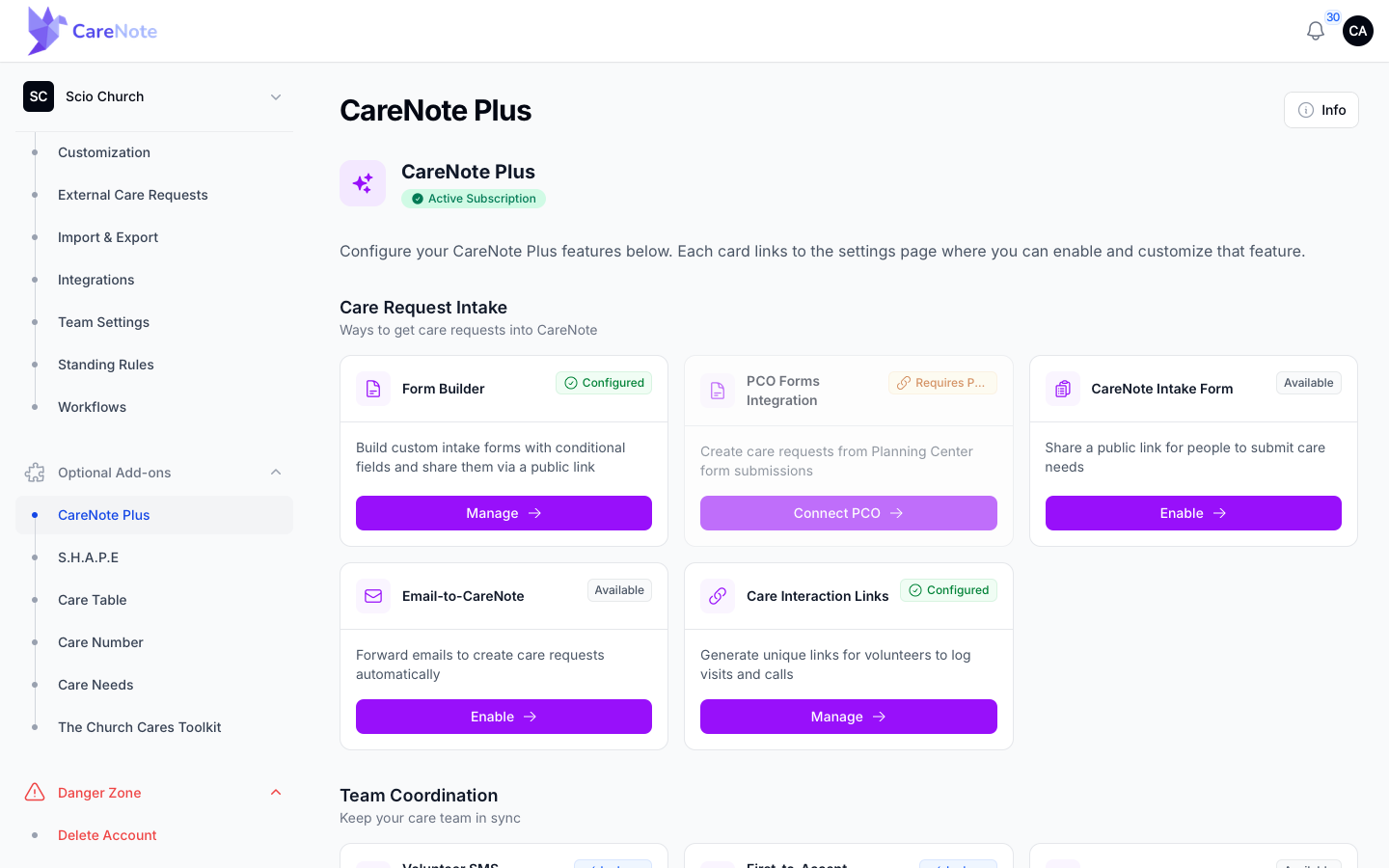
Some cards show an Enable button you press yourself: CareNote Intake Form and Email-to-CareNote under Care Request Intake, Volunteer SMS Acceptance and Volunteer Report Confirmation under Team Coordination, and Task Completion Logging under Activity & Tracking (it adds an entry to the activity feed when a task is checked off). Volunteer SMS Acceptance lets helpers and staff accept care requests by replying to a text. Planning Center cards are dimmed and say Requires PCO until you connect Planning Center.
5. If you are not the owner: ask for Plus
Anyone else who clicks the gray briefing button lands on a page that says "This feature is part of CareNote Plus." It shows your owner's name and a ready-to-send email link under "To enable this feature, contact your site administrator." There is no buy button on this page. Send the note, then use Go Back to return.
6. Control AI for your church
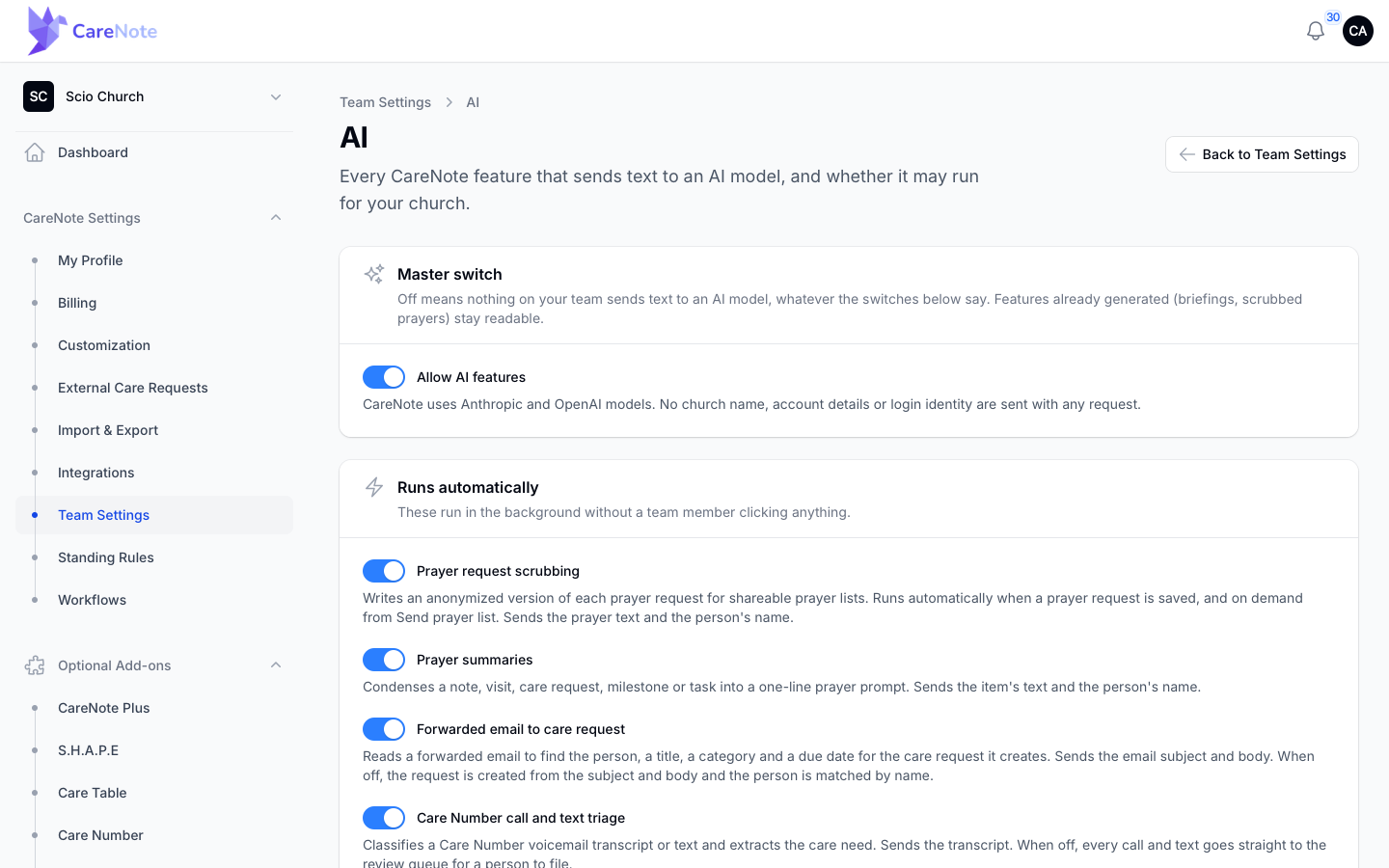
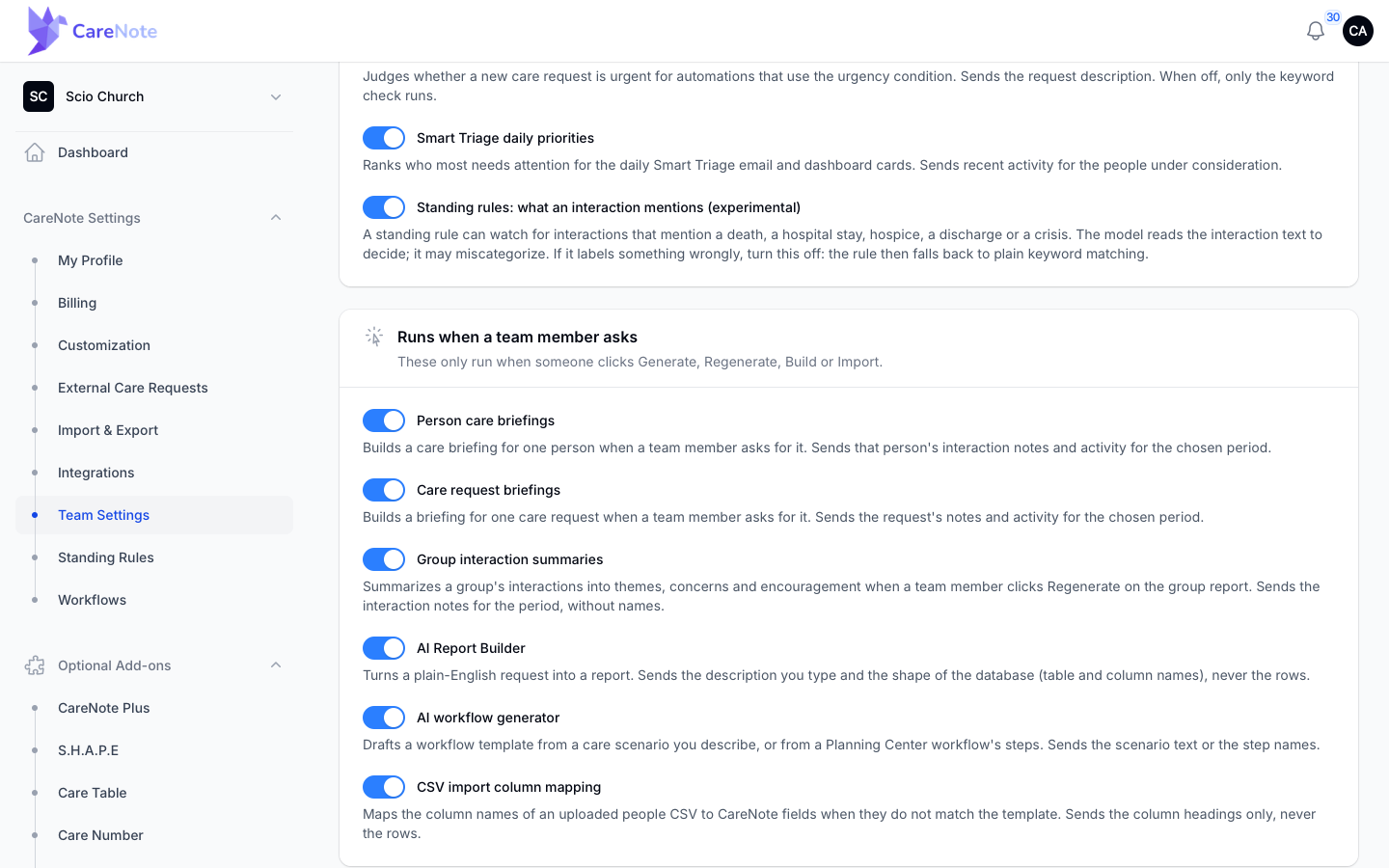
AI features run only if your church allows them. Owners find the settings in Team Settings > AI. A master Allow AI features switch turns everything off at once. Below it, Runs automatically and Runs when a team member asks list each feature with a short line about what is sent.
7. How to tell whether your team has Plus
The briefing button is a clue, not proof.
- Open a person's profile and go to Activity.
- If the button is amber and active, your team has Plus and briefings are allowed.
- If it is gray, your team does not have Plus.
- If there is no button, the person may have no logged activity yet, or your owner has switched off Person care briefings (or all AI features). That does not mean you are missing Plus.
Frequently asked questions
Do I lose anything in Core without Plus? No. Your profiles, care requests, interactions, tasks and groups keep working. Plus tools stay visible so you can see what exists, and the action is locked until Plus is on.
Why is the briefing button missing instead of gray? Either the person has no logged activity, or your owner turned off Person care briefings or all AI in Team Settings > AI.
Who can turn Plus on? The team owner, from CareNote Settings > Optional Add-ons > CareNote Plus. Everyone else uses the email link on the information page.
Can a team have only some Plus features? Yes. Some teams have a partial grant. The features you have work, and the rest show the usual Plus notice. Ask your owner what your team has.
Is Care Table or Care Number part of Plus? No. They are separate add-ons, as are S.H.A.P.E and Care Needs.
Watch
- What is CareNote Plus? (a guided tour of what Plus adds)
- Level up your helpers with SMS, links and first-to-accept (the admin's guide to Plus-powered helpers)