
Logging One Interaction for a Couple or a Household
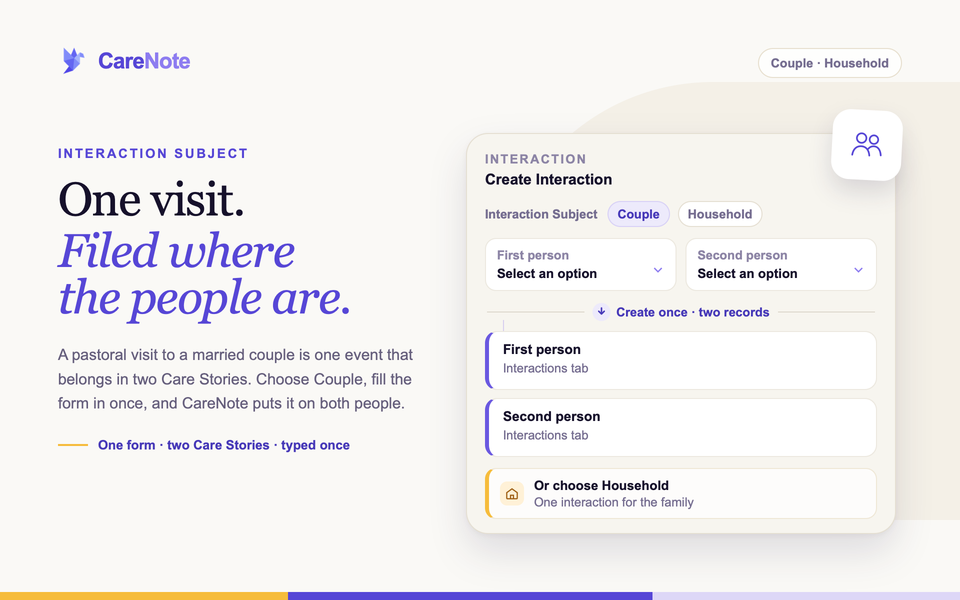
A hospital visit to a married couple is one event. So is a Sunday afternoon on a family's porch. You should not have to fill in the same form twice to remember it.
Watch how one note about a couple lands on both people.
CareNote lets you record one visit for two people, or one interaction for a whole family. You can do it from the Interactions page, and your care group leaders can do the couple version right from their group page.
When to use Person, Couple, or Household
The Interaction Subject you choose decides where the care is recorded.
- Person creates one interaction in one person's Care Story. This is still the right choice most of the time.
- Couple creates one interaction on each person's Interactions tab. Two records, one form.
- Household creates one interaction for the family as a whole, attached to the household rather than to anybody in it.
A good rule: if you would want the visit to show up when you later open her profile, use Couple. If the care was for the family as a unit, such as a meal drop-off or help with a move, use Household.
Two limits worth knowing first
Couple interactions count twice in reports, because CareNote creates one interaction for each person. A 60 minute couple visit adds up to 120 minutes across reports and exports. If you track care hours closely, log the visit against one person and mention the spouse in the note.
A household interaction does not appear on any one member's Interactions tab. It is filed against the family. If you want it on someone's timeline, choose Person or Couple.
1. Log a couple from the Interactions page
- Open Interactions from the navigation, open the gear Actions menu, then choose New interaction.
- Pick the Interaction Type, such as Home Visit or Phone Call.
- Set Interaction Subject to Couple. The person picker becomes First person and Second person.
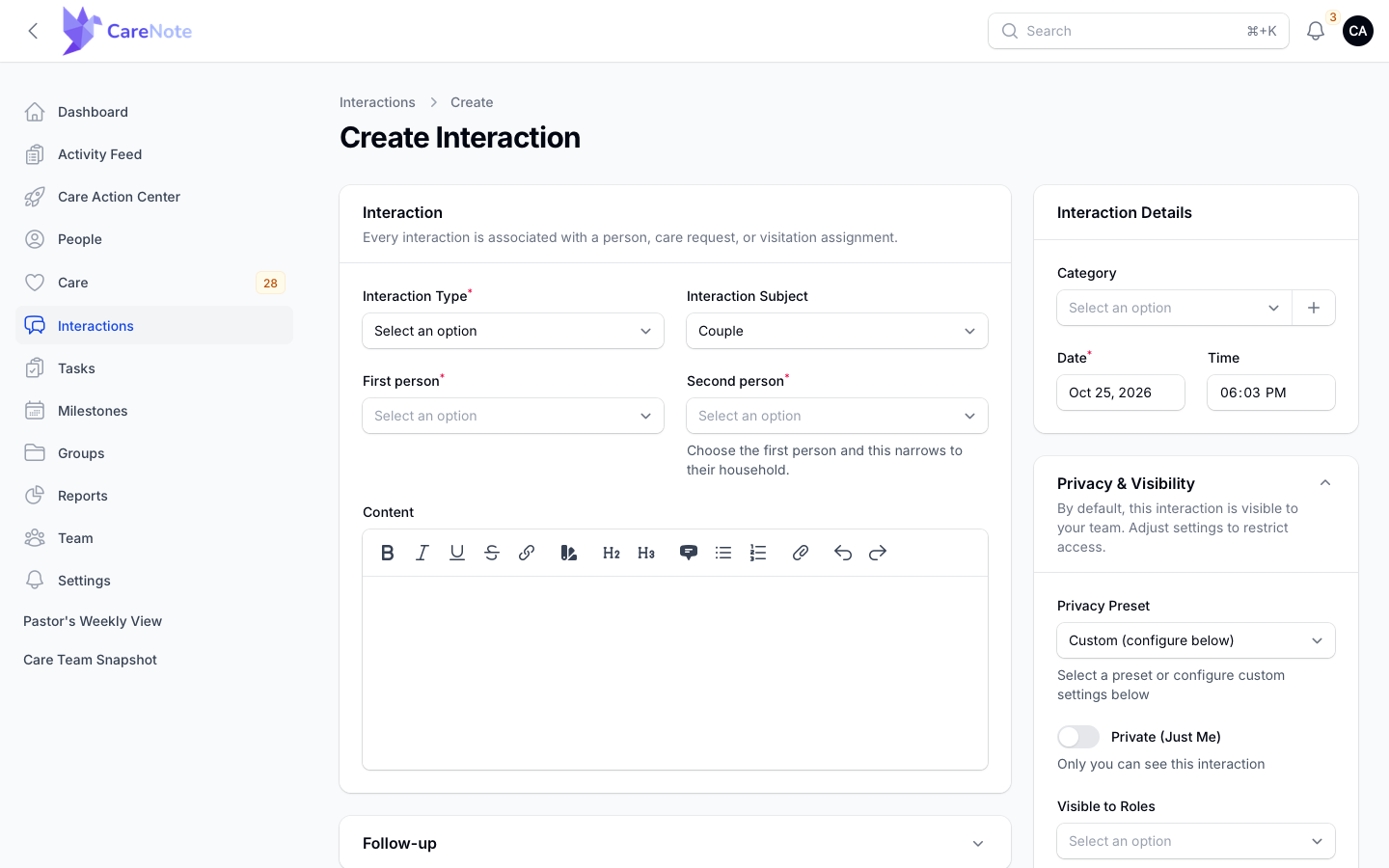
- Pick the First person. Before you do, the helper under the second box reads "Choose the first person and this narrows to their household."
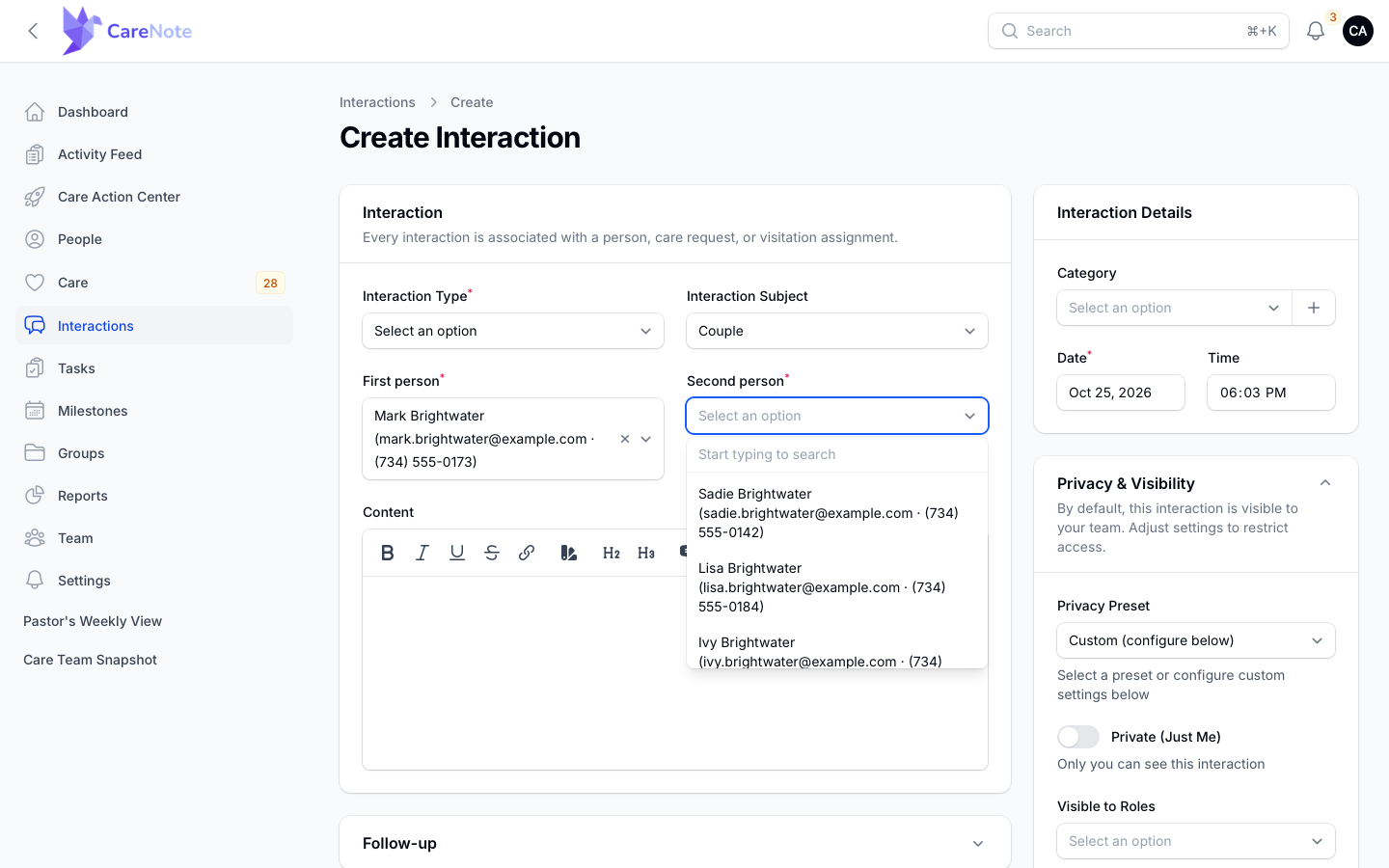
- Open the Second person list. It starts with the first person's household members, so you are choosing from a short list instead of the whole congregation.
- Fill in the rest of the form as usual and choose Create.
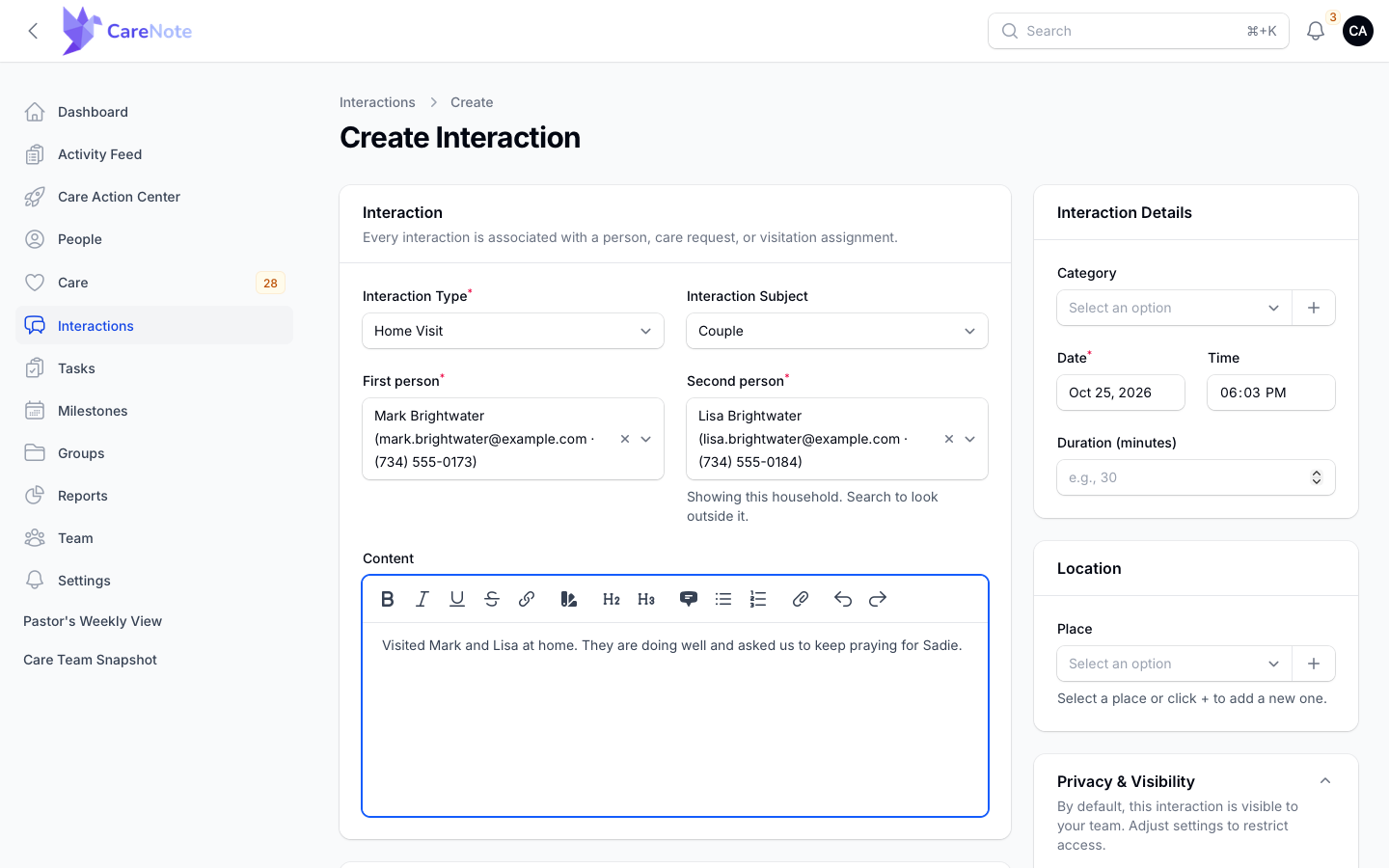
The short list is a convenience, not a rule. The helper text now reads "Showing this household. Search to look outside it." If the two people are not in the same household in CareNote, type a name and the search reaches everyone.
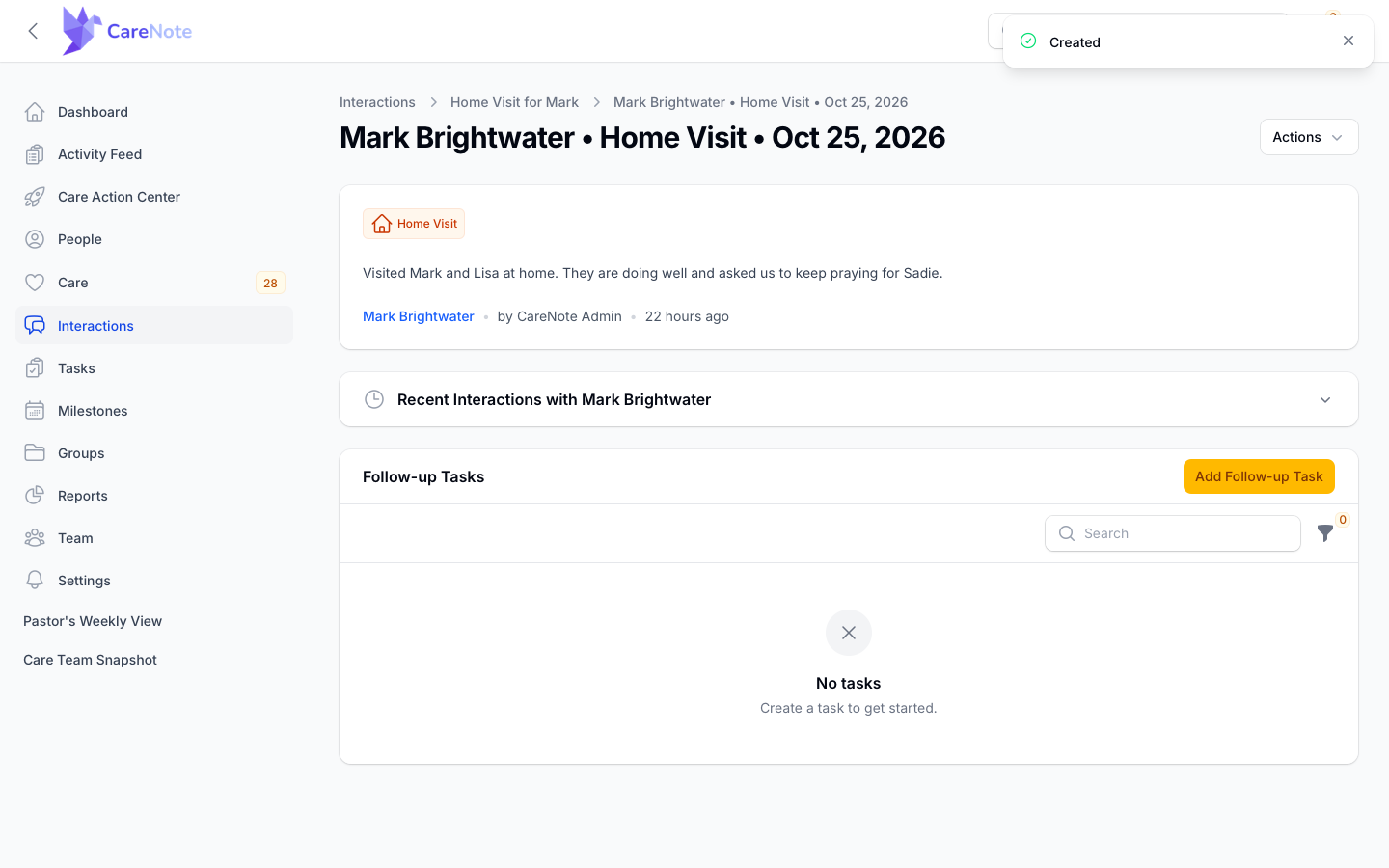
You land on the first person's interaction, with a "Created" message. The second person has their own matching record.
2. Find the couple's records afterwards
Open either person's profile and choose the Interactions tab. Each person has their own record of the visit, and your note is on both.
CareNote carries your privacy choices to the second record, so a restriction to a role or group applies to both copies.
3. Log a couple from a care group
If you lead a care group, you can do this without leaving the group page. Open the group and choose its Interactions tab. The tab description reads "Notes logged about this group, plus interactions shared with it."
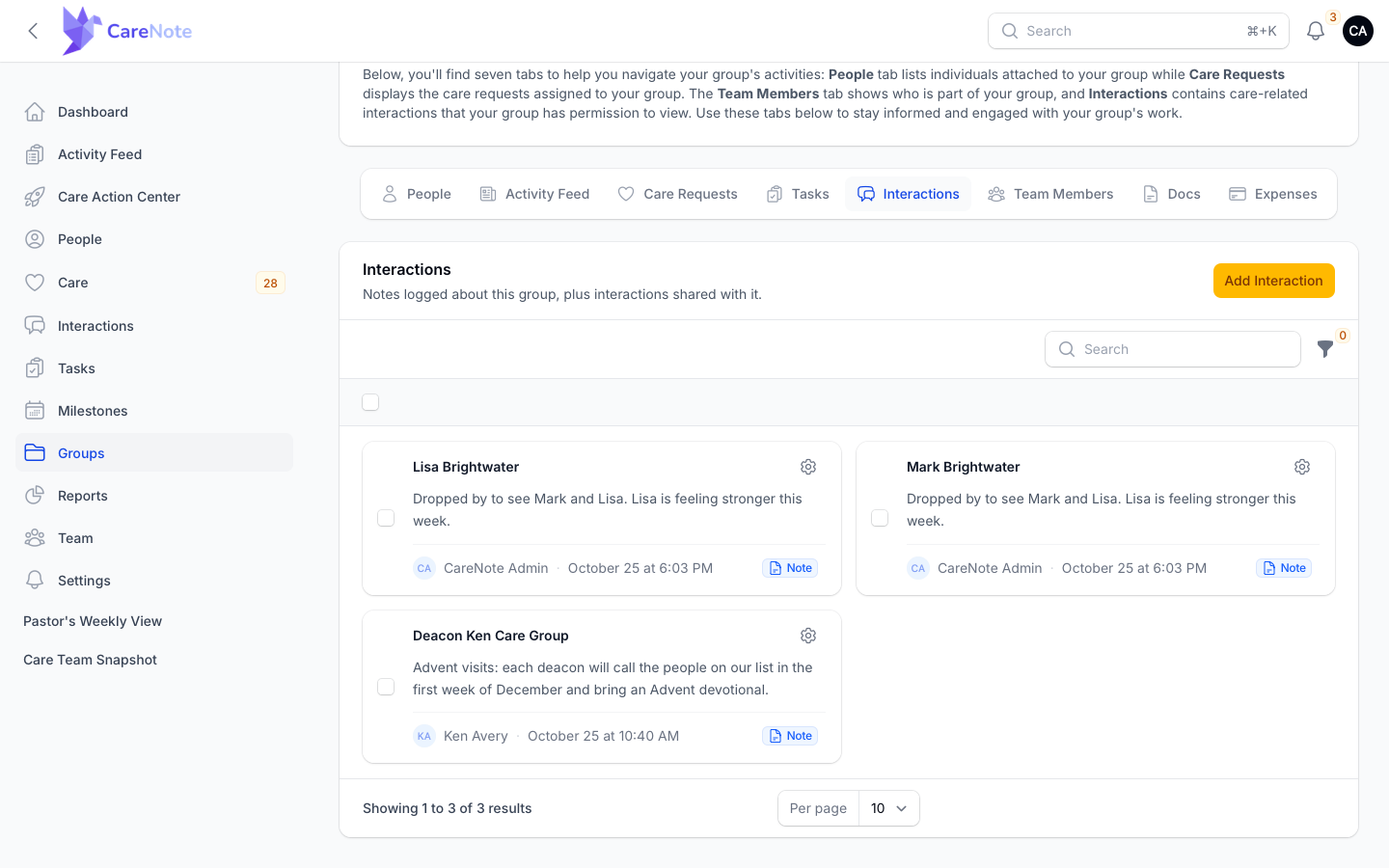
- Choose Add Interaction.
- Under This note is about, choose A couple. The other choices are This group and A specific person.
- Pick the First person and the Second person. Under the second box you will see "People in the first person's household are listed first; search for anyone else."
- Choose the Interaction Type, set the Date, write the Content, and choose Create.
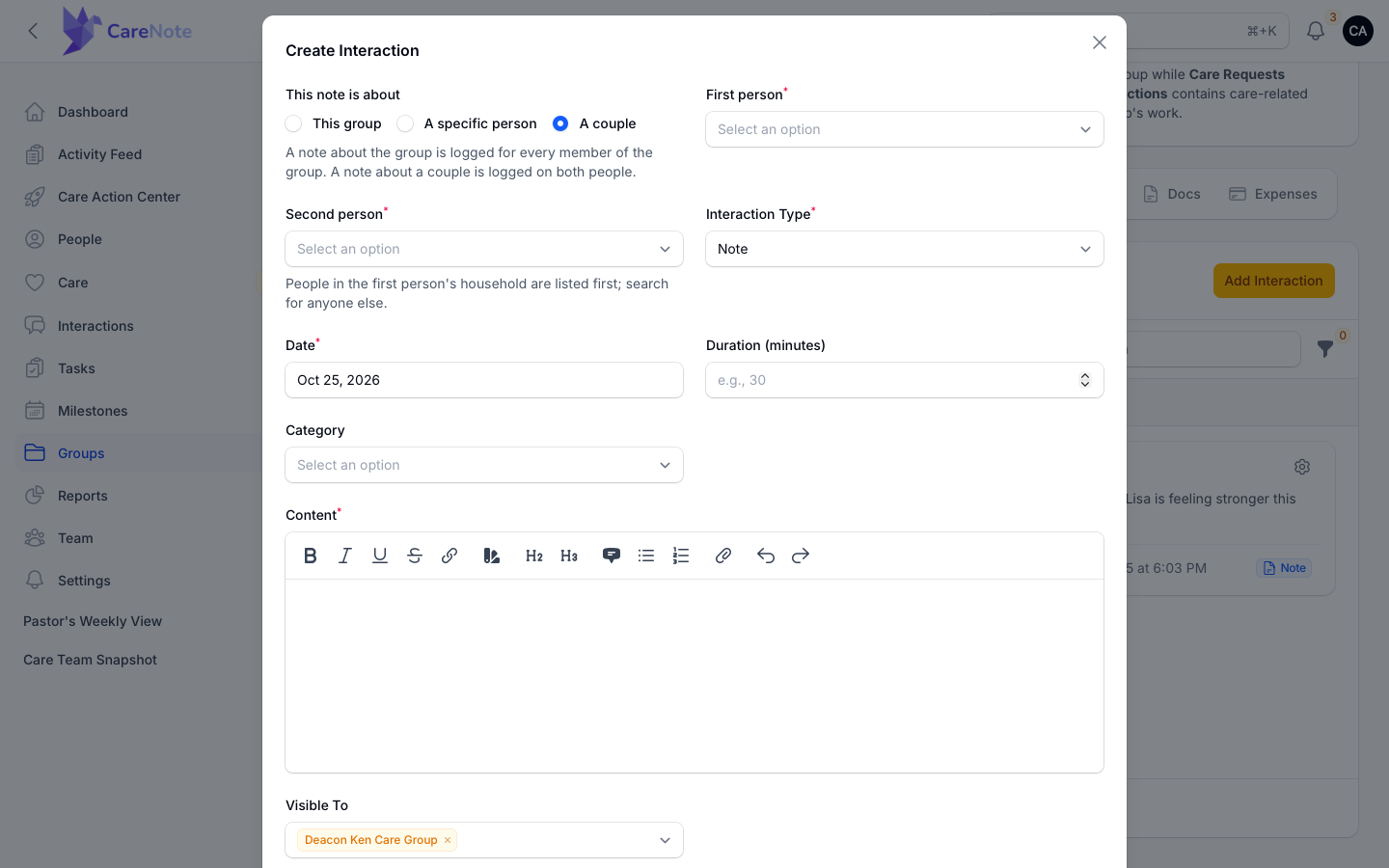
The help text sums it up: "A note about the group is logged for every member of the group. A note about a couple is logged on both people."
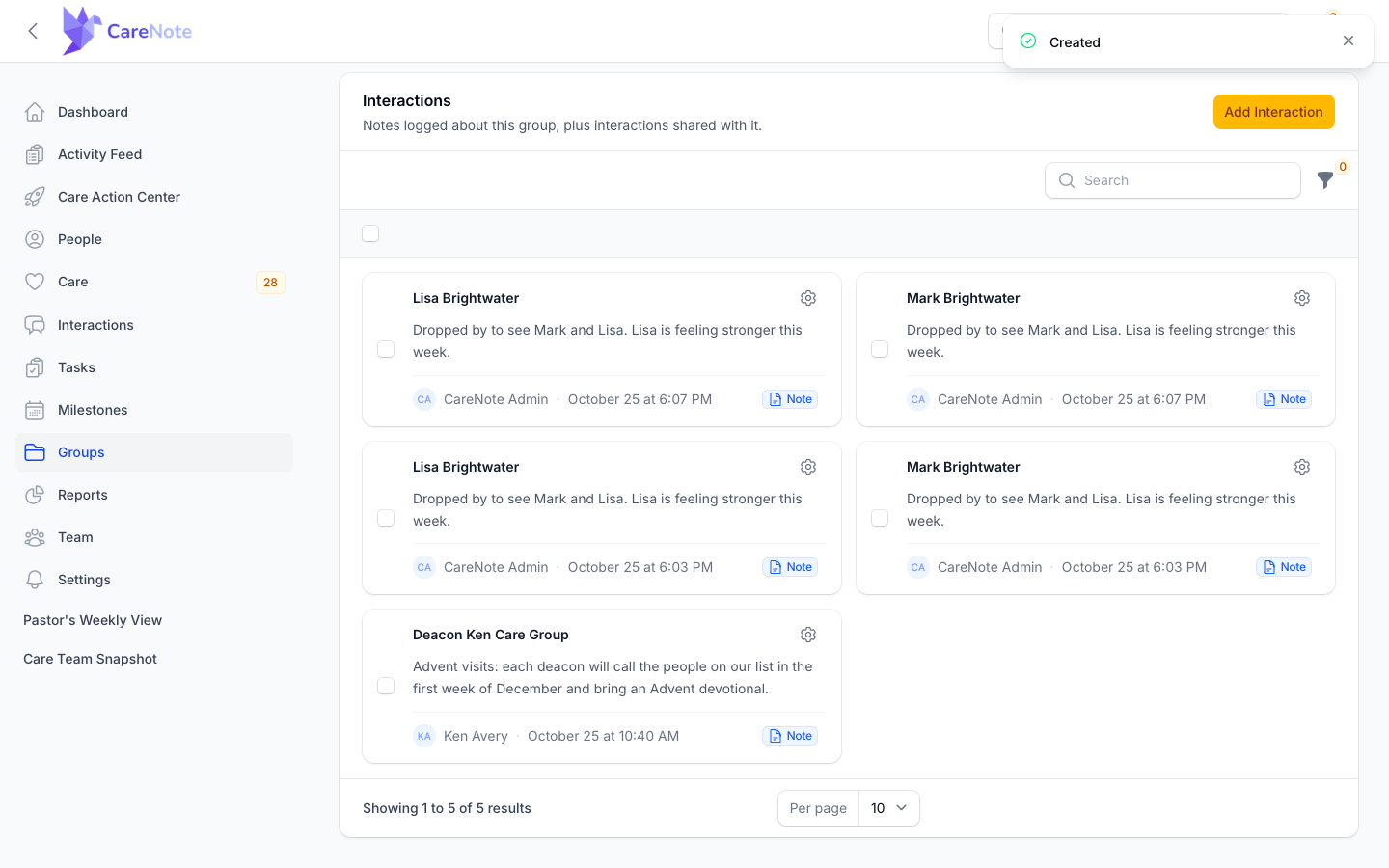
After you save, the group's table shows one card for each person, so you can see both records landed.
4. Log one interaction for a household
- Set Interaction Subject to Household.
- In the Household box, search for anyone in the family.
- Choose the household, complete the form, and choose Create.
You almost never think of a family by its household record. You think of a person. Before you type anything, each household is listed by the people in it, with the family name in parentheses, and larger families show "+1 more" instead of cutting the list short.
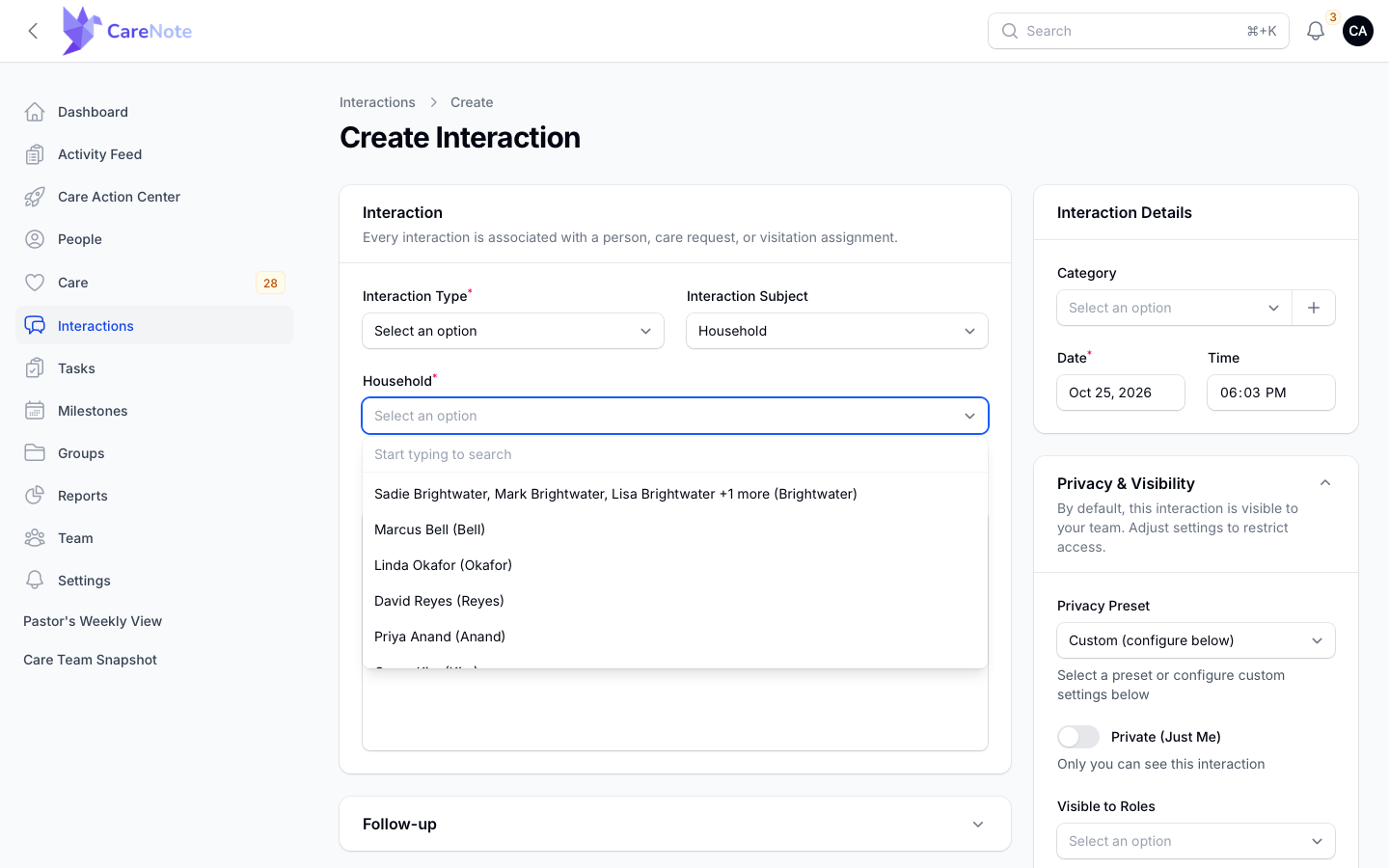
Type a name and the matching household comes back named after that person.
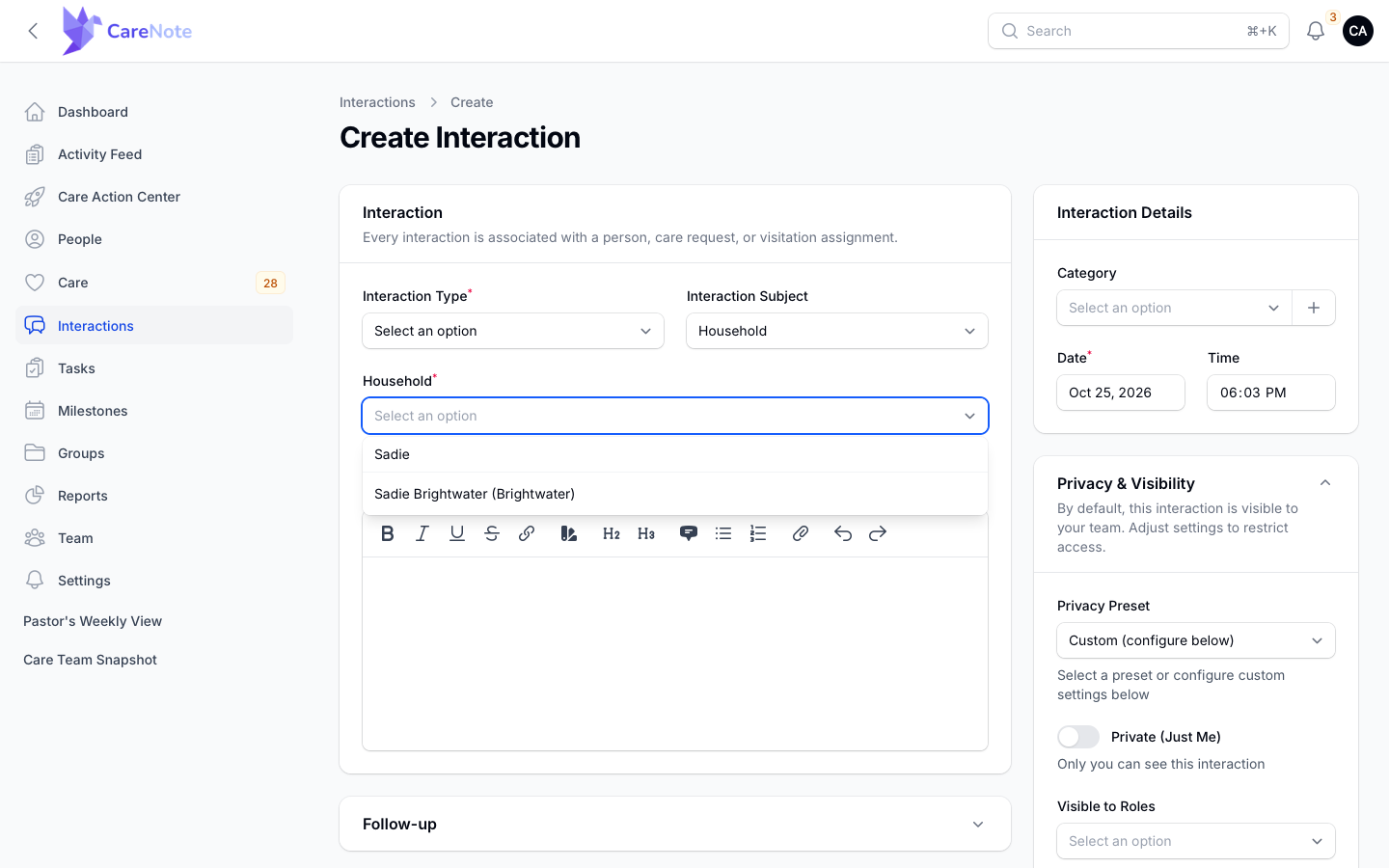
Whichever member you searched for, the interaction attaches to the household. The person is how you found the family, not what the record is filed against. To see household interactions later, open the household from People and choose its Interactions tab.
Couple is for creating, not editing
Couple is a way to create two records at once. Once saved, they are two ordinary interactions. Open either one to edit and you will see Interaction Subject set to Person, with only that one person.
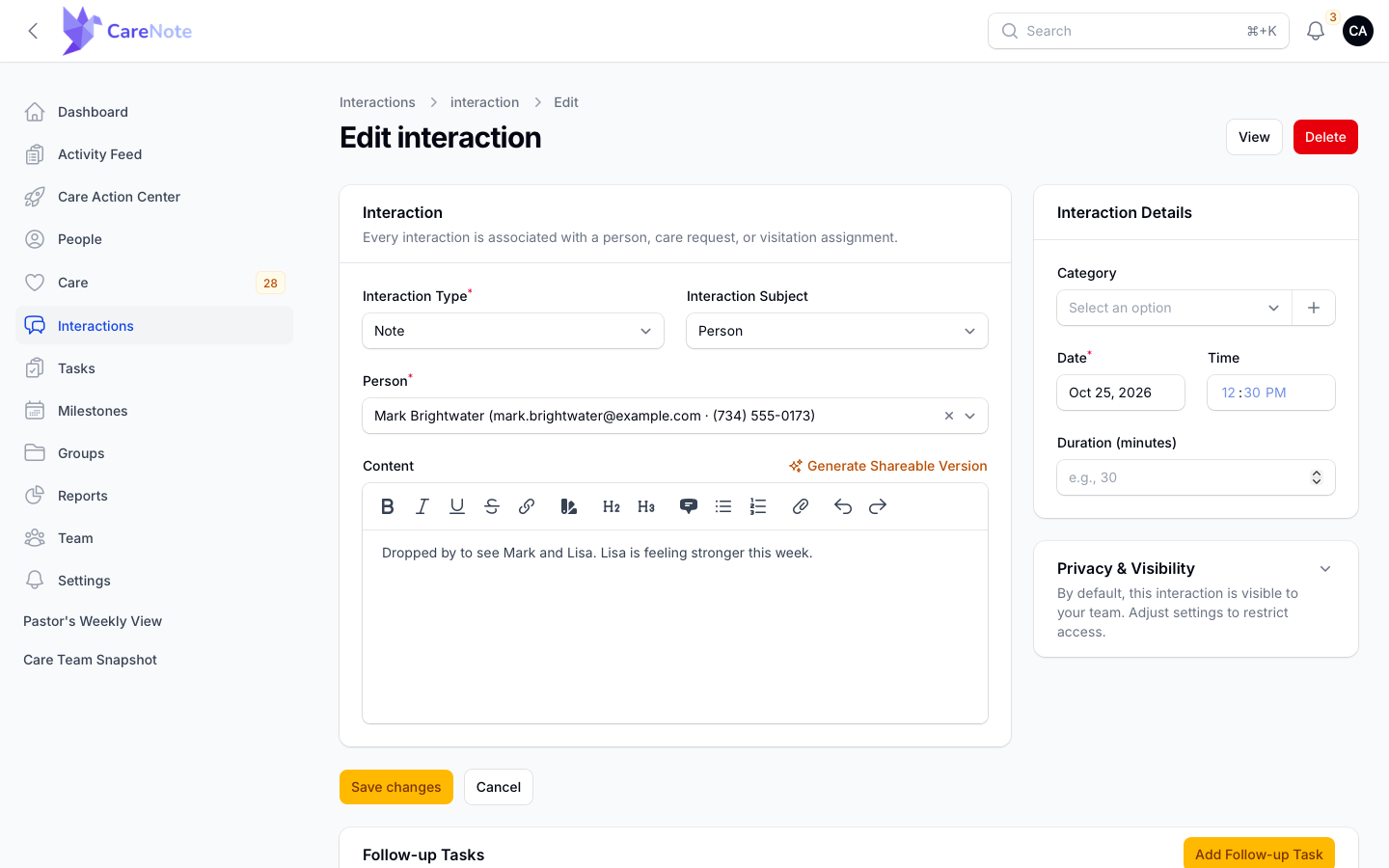
If the content needs to change on both, edit each one.
Frequently asked questions
Can I edit a couple interaction and change both at once? No. They are two records, and editing one leaves the other alone.
Will a couple visit double my reported care time? Yes. A 60 minute couple visit reports as 120 minutes. Log against one person if that matters to your reporting.
Does the second person have to be in the first person's household? No. The list starts with that household for convenience, but searching reaches everyone.
What if the family I want does not appear in the Household picker? Households you can pick from are the ones that already exist in CareNote. Add the people to a household first, or log the interaction against them as a Person.
Watch
- A Note About a Couple (Care Groups 7 of 8): write one note for a married couple from your group page and see it land on both people.
- Households, Refreshed: care for a family as a family, with household interactions, care requests and merging duplicates.