
CareNote Updates – September 2026
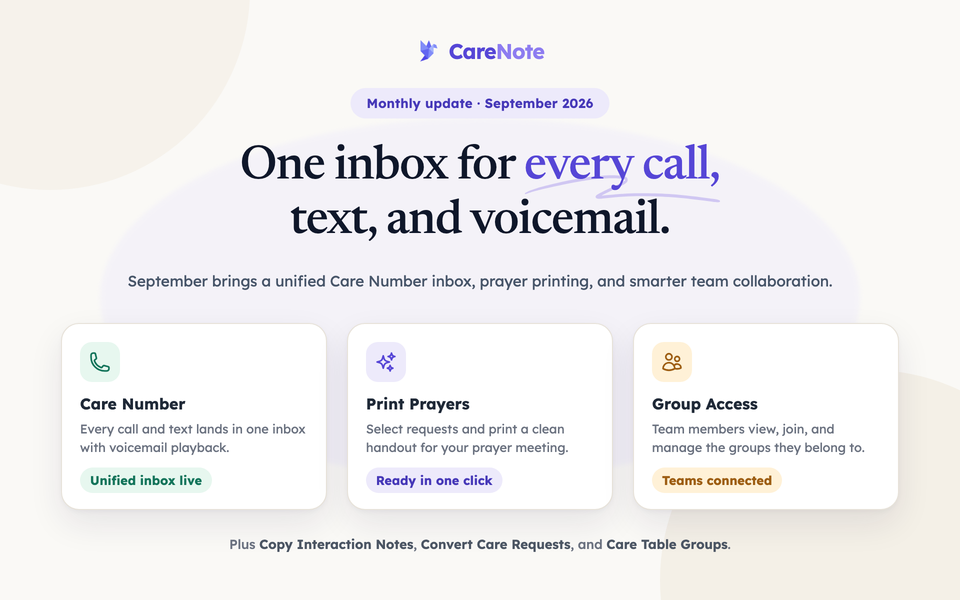
This month's CareNote updates include a major expansion of the Care Number inbox and filing experience, powerful new tools for printing and sharing prayer requests, and significant improvements to how team members collaborate within groups. As always, we're committed to helping your care ministry teams respond more effectively and work more efficiently.
Core Platform Improvements
Smarter Care Number Filing
When someone calls or texts a dedicated number for your ministry about another person, CareNote now intelligently files the care request on the right individual. A message like "my mom is in the hospital" creates a request on the person who needs care, with the caller recorded as the reporter. Every request also receives a clear, readable title so your team can immediately understand what needs attention without opening each record individually.
Faster Account Health Dashboard
The Account Health page now loads in milliseconds rather than several seconds. This means administrators can check in on their ministry's activity and status without any frustrating delays.
Improved Integration Settings Reliability
A fix ensures that integration settings are saved correctly even when a first attempt encounters an error. Your team can now configure connections with confidence, knowing changes will stick.
Planning Center Integration
This month brought meaningful improvements to our Planning Center integration:
- Tab Sync Reset lets you perform a full, authoritative mirror from Planning Center, with self-healing mappings that correct drift over time
- Improved phone number handling so that phone data from Planning Center is written and formatted correctly across your CareNote profiles
- Smarter token management so that expired access tokens are detected and handled properly, keeping your sync running without interruption
These updates mean your Planning Center data stays accurate and your connection stays healthy with less manual intervention.
New Features
Care Number Inbox
All calls and texts to a dedicated number for your ministry now appear in one unified inbox, complete with voicemail playback. Staff can see at a glance what still needs attention, filter by status, and review the full history of every message, including who handled each item and when. A pastor who missed a Sunday can open the inbox, listen to voicemails, and catch up on every incoming care need in one place.
Care Number Settings Page
Administrators now have a dedicated settings page showing renewal details, live routing status, queue depth, and the names of team members assigned to receive notifications. The worklist is embedded directly on the page so your team can act on incoming items without navigating away.
Print Mode for Prayer Requests
Your team can now print a clean, focused prayer list directly from the Prayer Requests report. A bulk action lets you select specific requests and open a print-ready view, making it easy to prepare a handout for your weekly prayer meeting without any extra formatting work.
Copy Interaction Notes to Another Person
Care notes and visit reports can now be copied from one person's profile to another. This is especially helpful when a conversation or visit involves multiple members of a household, allowing your team to keep everyone's record complete without re-entering information.
Convert Care Requests to Interactions
Care requests that were filed in the wrong category can now be converted to interactions in bulk. This helps your team keep records clean and accurately reflects the nature of each pastoral contact.
Care Interaction Link Enhancements
The Care Interaction Links feature now shows the email delivery status for each link and includes a bulk action to resend link emails. This gives your team clear visibility into whether a link was successfully delivered and an easy way to follow up if it wasn't.
Resend Task Assignment Notifications
Workflow task assignment emails can now be resent directly from the task's Actions menu. If a volunteer or team member missed a notification, your administrator can prompt them again without recreating the task.
Enhanced Administration & Security
Team Member Group Access
Team members can now access the groups they belong to, add people to those groups, and view others assigned to them. The Team Members list also displays each member's group assignments at a glance, making it easier for administrators to understand how their care network is structured.
Volunteer Workflow Routing
Workflow task assignments for volunteers are now routed directly to individual accept/reject emails rather than the administrator digest. Volunteers receive clear, actionable notifications without requiring administrator involvement for each response.
Care Table Group Invitees
When setting up a meal sign-up, you can now add an entire group's congregants to the invitee list, not just its team members. This makes it simpler to coordinate meals for larger care situations where a broader community wants to help.
Care Number Inbox for Team Members
Team members who are part of a Care Number notification group now have access to their own inbox view. The ability for team members to discard messages is controlled as a team setting and is off by default, giving administrators appropriate oversight.
Behind-the-Scenes Improvements
We've made numerous refinements to ensure CareNote runs smoothly:
- Improved duplicate notification handling so that each person receives only one notification when a care request is filed through a dedicated number for your ministry
- Browser autofill on meal sign-up forms no longer incorrectly triggers spam protection, ensuring a smooth experience for congregants signing up to help
- Phone number formatting now operates quietly in the background, with no sensitive data written to logs
- Faster caller lookup through improved database indexing, so incoming messages are matched to the right person more quickly
- Reliable background job processing with improved queue configuration, ensuring notifications and imports are delivered consistently
Questions about these updates? Reach out to our support team, we're here to help you make the most of CareNote.