
CareNote Updates – August 2026
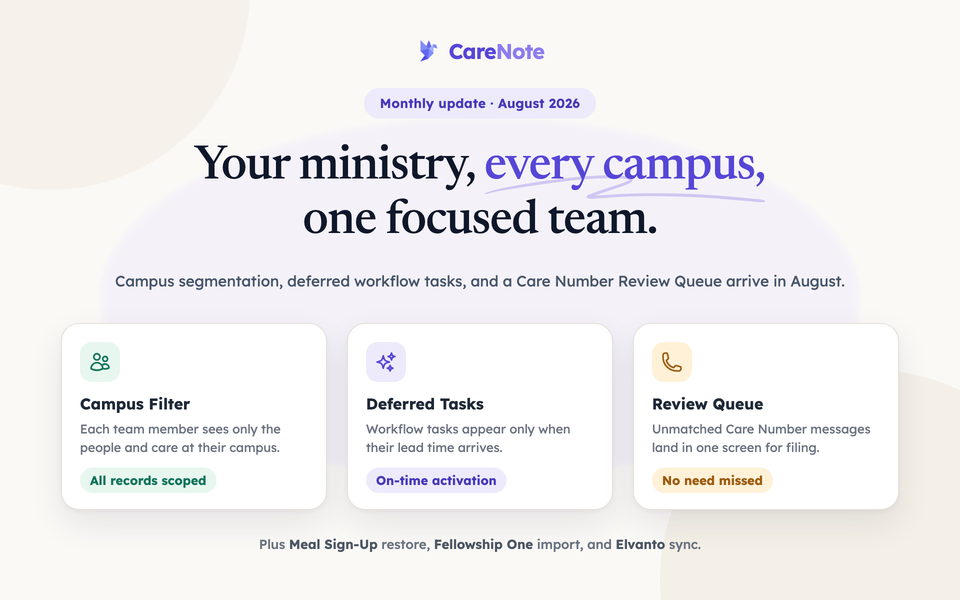
This month's CareNote updates include a comprehensive campus segmentation system, powerful new workflow automation tools, and a fully integrated Care Number inbox. As always, we're committed to helping your care ministry teams respond more effectively and work more efficiently.
Core Platform Improvements
Campus Segmentation
CareNote now supports a full campus segmentation system, giving multi-site churches the ability to restrict what each team member sees to only their campus. Profiles, groups, care requests, households, notifications, reports, and more all respect campus boundaries automatically, so your teams stay focused on the people they serve.
Smarter Overdue Care Request Handling
Care requests that were marked overdue now clear automatically when a due date is moved forward or a request transitions to Ongoing status. This keeps your team's view accurate and prevents stale overdue flags from cluttering your dashboard.
Activity Feed Assignment Editing
You can now edit an assignment directly from its entry in the activity feed, without navigating away to a separate page. A simple modal opens in place, saving your team time during active care coordination.
Planning Center Integration
This month brought substantial improvements to our Planning Center integration:
- Campus auto-assignment syncs campus data from Planning Center directly to congregant profiles
- Duplicate prevention stops the same care request from being created more than once during form imports
- Accurate attribution ensures care requests created through Planning Center forms are correctly credited to the right person
These updates mean your Planning Center data flows into CareNote more reliably, with less cleanup needed from your team.
CCB Integration
This month also brought meaningful improvements to our Church Community Builder integration:
- Automatic campus sync downloads and assigns CCB campuses to profiles without manual steps
- Reliable error reporting surfaces sync issues clearly rather than showing a false success
These updates help multi-site teams using CCB keep their campus data current with less effort.
New Features
Care Number Review Queue
Messages and calls that your dedicated ministry number's AI triage could not automatically place now appear in a dedicated Review Queue inside the Care Action Center. Your team can file these conversations into the right care records from one central screen, so no incoming need slips through the cracks.
Meal Sign-Up Restore and Draft Activation
Cancelled meal sign-ups can now be restored, and draft sign-ups can be activated directly, without starting over from scratch. This gives coordinators greater flexibility when plans change and helps your team respond gracefully to evolving care situations.
Deferred Workflow Task Activation
Workflow tasks can now be scheduled to activate only when their lead time arrives, rather than appearing all at once. This helps assignees stay focused on what needs attention right now, reducing overwhelm and improving follow-through.
Contact Details on Tasks
When a task is assigned, the assignee now sees the care recipient's contact information directly within the task. Your volunteers and staff no longer need to navigate away to look up a phone number or address before reaching out.
Fellowship One Contact Notes Import
Care history from Fellowship One can now be imported into CareNote through a structured import process. This helps churches transitioning from Fellowship One bring their relationship history with them, preserving the context your care team has built over time.
Elvanto Integration
CareNote now connects with Elvanto Church Management, allowing you to sync your people data directly into CareNote via a simple OAuth connection. This gives Elvanto churches a straightforward path to bringing their existing membership data into their care ministry workflow.
Full Profile Editor on the Dashboard
The Add Person button on your team dashboard now opens a complete profile editor, capturing households, addresses, tags, and demographics all in one step. This means your team can create thorough, actionable records right from their starting screen without extra navigation.
Team Member Profile and Group Creation Setting
A new team setting lets administrators control whether Team Members can create profiles and groups. This gives your leadership team precise control over how your ministry data grows.
Enhanced Administration & Security
Simplified Settings Navigation
The admin Settings page has been streamlined so that key tools like automation setup are organized under a clearly labeled CareNote Settings section, visible only to owners. This reduces confusion and makes it easier for the right people to find what they need.
Team Member Access Pack
Team members now benefit from improved campus visibility, group notes displayed on member pages, and team-shared privacy presets. These refinements help your team collaborate with the right context while respecting appropriate privacy boundaries.
Care Report Submission for Assignees
Assignees can now submit a Care Report directly from the Actions menu on a care request. This brings reporting closer to where the work happens and makes it easier for your team to document care activity without extra steps.
Notification Group Layout
The notification preference screen has been reorganized into clearly labeled columns, making it easier for team members to understand and manage which notifications they receive.
Behind-the-Scenes Improvements
We've made numerous refinements to ensure CareNote runs smoothly:
- Task notes now correctly respect visibility settings, survive task deletion, and appear on the Care Story and printed care timeline
- Household visits now properly credit every member of the household in the activity log
- Birthday report column sort preferences now persist correctly as you page through results
- Campus briefings, dashboard summaries, and daily digests now consistently reflect each recipient's campus, preventing out-of-campus information from appearing in emails or reports
- Communications campaigns no longer send to deleted accounts
- Spanish and Dutch translations have been refreshed to reflect recent updates throughout the product
- Security updates address several dependency advisories to keep your data safe
Questions about these updates? Reach out to our support team, we're here to help you make the most of CareNote.