
CareNote Updates – July 2026
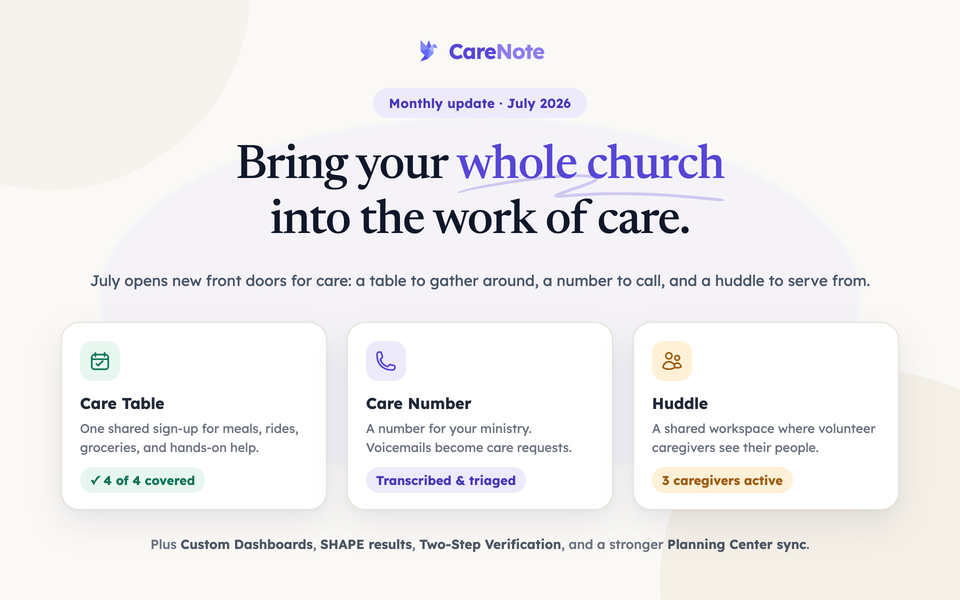
This month's CareNote updates include a powerful new Care Table for coordinating meals and hands-on support, a dedicated Care Number phone line that turns voicemails into care requests automatically, and a new Huddle panel that gives volunteer caregivers their own coordinated workspace. As always, we're committed to helping your care ministry teams respond more effectively and work more efficiently.
Core Platform Improvements
Upgraded Platform Foundation
CareNote has been rebuilt on the latest versions of our core frameworks, making the entire application faster, more stable, and better positioned for future features. Your team benefits from a smoother, more responsive experience across every screen.
Smarter Interaction Logging
Interaction timestamps now display in each viewer's own timezone, so care records always read naturally regardless of where your team members are located. When logging an interaction for a couple or household, CareNote now correctly identifies the right people every time.
Refreshed Sign-In Experience
The CareNote login page has been redesigned to warmly welcome everyone—from pastors and staff to volunteers—with clear guidance that gets each person to the right place quickly. Rotating stories from real churches help new visitors understand the heart behind the software before they even log in.
Prayer List Improvements
The Daily Prayer List has been redesigned to focus on prayer requests, with a cleaner layout that makes it easier for your team to pray together. Prayer requests whose subject isn't a specific profile now display correctly, and requests sort more reliably by group and name—so your prayer time flows without interruption.
Follow-Up Tasks Simplified
The Care Action Center's separate follow-ups tab has been retired. Everything now lives in your task list, so your team has one unified place to track every commitment, callback, and care action—no more switching between views.
Two-Step Verification
Team owners and administrators can now enable Two-Step Verification on their accounts for an added layer of security. This optional feature uses an authenticator app and recovery codes to protect sensitive care data.
Planning Center Integration
This month brought substantial improvements to our Planning Center (PCO) integration:
- More accurate imports with honest reporting of how many profiles were imported, skipped, or inactive—so you always know exactly what came over
- Reliable re-imports that update existing profiles instead of silently skipping people you've already brought in
- Improved list syncing that correctly handles member removals without accidentally affecting people from other lists
- Fixed a sync issue that could leave the integration stuck, preventing new data from flowing into CareNote
- Better webhook reliability to keep your PCO data and CareNote in sync without runaway background processes
These updates mean your Planning Center connection is more trustworthy and transparent than ever before.
New Features
Care Table — Coordinate Meals & Hands-On Support
The new Care Table makes it easy to organize practical care around a family in need—right inside a care request. Your team can set up a sign-up page where church members choose dates, pick what kind of help they're offering (rides, groceries, childcare, meals, and more), and receive calendar reminders automatically. Drop-off addresses are shared only with confirmed helpers, protecting the family's privacy. You can also claim a slot on someone's behalf, post updates to all helpers at once, and even log gift cards or benevolence giving—all without handling money through CareNote. The public sign-up page can be shared with your congregation in seconds.
Care Number — A Dedicated Phone Line for Your Ministry
Care Number gives your church a dedicated phone number for care requests. When someone calls in, their voicemail is automatically transcribed and triaged into a care request or interaction, so nothing falls through the cracks even when no one is available to answer. Once active, your team's outgoing text messages route through this number for a consistent, professional presence. Care Number is available as an add-on for churches ready to open a new front door for people seeking help.
Huddle — A Shared Space for Volunteer Caregivers
The new Huddle panel gives volunteer caregivers their own coordinated workspace within CareNote. Huddle Members can view care requests they've been assigned to, log interactions, and stay informed through notifications—all without accessing your full staff dashboard. You can also shepherd individual people directly through Profile Huddles, assigning a caregiver to stay connected with someone over time. Huddle Members are standard paid seats, making it straightforward to include your entire volunteer care team.
SHAPE Results for Your Team
Team leaders can now view SHAPE assessment results directly in CareNote, with a dashboard relationship manager and PDF export for each person. This makes it easier to match volunteers to care roles that fit their spiritual gifts and heart for ministry—right alongside the rest of your care data.
Custom Dashboards (CareNote Plus)
Custom Dashboards let you build drag-and-drop reporting views from your care data, surfacing the metrics that matter most to your leadership. Available exclusively to CareNote Plus subscribers, this feature helps you tell the story of your care ministry in a way that's meaningful to your team and church leaders.
PII Scrubbing for Prayer Requests
When sharing prayer requests more broadly—in bulletins, with prayer teams, or on screens—PII Scrubbing uses AI to anonymize names and identifying details, producing a shareable version that protects the privacy of the people you serve. The original, full-detail version remains securely in CareNote for your care team.
Volunteer Notification Preferences
Volunteers can now set their own notification preferences from directly within the Huddle panel. A one-time reset option helps teams start fresh with opt-in defaults, and SMS consent is handled clearly so volunteers only receive the communications they've agreed to.
Fellowship One Contact Import (Premier)
Churches using Fellowship One can now import emails, phone numbers, and addresses directly into CareNote, giving your care team richer contact information without manual data entry.
Enhanced Administration & Security
Smarter Volunteer Access Controls
- Volunteer action links (accept/reject/report) now expire automatically when a volunteer is removed from a team, ensuring that outdated links can never take unintended action
- Re-sent care request notifications reuse existing response tokens rather than generating new ones, preventing a confusing treadmill of duplicate links in volunteers' inboxes
- Volunteers receive clear guidance at every sign-in door explaining that they work from email links—reducing confusion and support requests
Billing & Subscription Improvements
- Switch to Yearly billing is now self-serve—team owners can move from monthly to annual plans without contacting support
- Free trials extended to 14 days for SHAPE and Care Table add-ons, giving your team more time to explore these features before committing
- Stale payment-failed banners now clear automatically once a payment issue is resolved, so your team isn't confused by outdated warnings
- Seat-add follow-up now reliably reconciles incomplete payments so your team's access is never left in an uncertain state
Invitation & Registration Hardening
Team invitations are now more robust against edge cases like duplicate submissions and previously removed users, making onboarding new team members smoother and more reliable.
Notebird Migration Support
Churches moving from Notebird to CareNote now have a significantly improved migration path. The importer correctly brings over care groups, avoids duplicating your roster, and no longer silently drops records—so your ministry history arrives complete.
Behind-the-Scenes Improvements
We've made numerous refinements to ensure CareNote runs smoothly:
- Improved background job reliability so care data processes consistently without getting stuck or stalling
- Better handling of timezone edge cases in emails and task views so dates and times always display correctly
- Duplicate category names now show a friendly validation message instead of an unexpected error
- Care request searches now work correctly across all request states
- Profile assignment dropdowns correctly show only your team's people, preventing cross-team confusion
- Missing Spanish and Dutch translations added for several notification emails, ensuring international teams receive fully localized communications
- File upload handling improved to prevent workflow interruptions when attachments are processed
Questions about these updates? Reach out to our support team—we're here to help you make the most of CareNote.