
CareNote Updates – October 2026
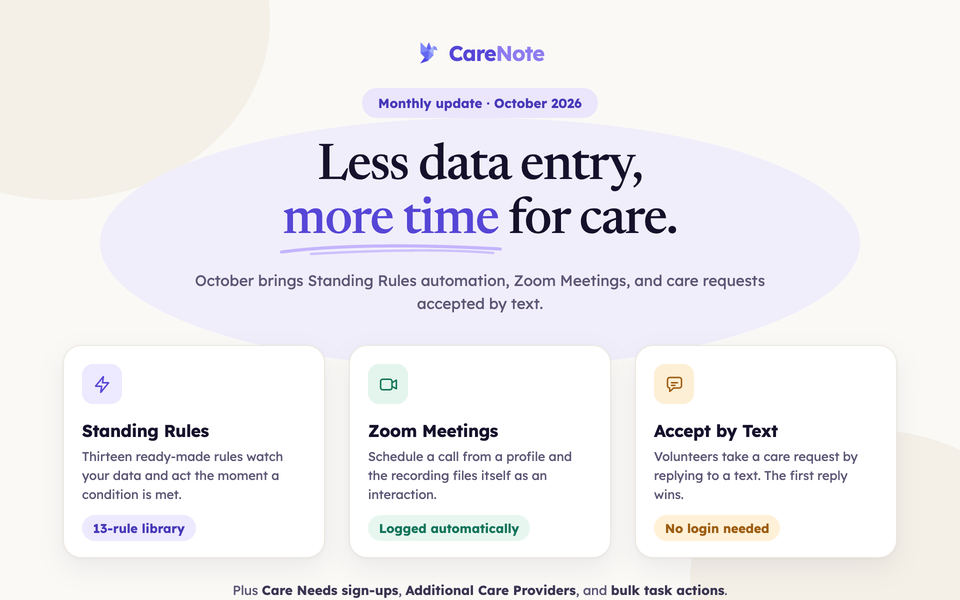
October's headline is less data entry. A new Standing Rules engine watches your data and acts on it for you, a Zoom Meetings integration files recorded calls into the Care Story on its own, and volunteers can now accept a care request by replying to a text. Care requests also gain Additional Care Providers, Care Needs sign-ups, and more room for team members to act without waiting on an administrator.
New Features
Standing Rules Automation
CareNote now includes a Standing Rules engine that watches your data and acts automatically when conditions are met. Set rules to trigger on events like a person reaching a milestone age, or run them every morning against your full list. A library of thirteen ready-made rules lets your team get started in one step, and each rule's results page shows exactly who was matched and what actions were taken.
Watch: Introducing Standing Rules (2:58) · The Standing Rules Library (3:02) · Write the Rule Once (3:27)
Zoom Meetings Integration
Your team can now schedule a Zoom meeting directly from a person's profile and have recorded calls automatically filed as interactions in their Care Story. This keeps your care history complete without any extra data entry after the call ends.
Watch: Introducing Zoom Meetings (2:52) · Zoom Meetings setup for administrators (5:42)
Volunteer SMS Acceptance
Volunteers can now accept care requests by replying to a text message. The first volunteer to reply accepts the request, making it faster and easier for care coordinators to mobilize help without anyone needing to log in.
Watch: Volunteer SMS Acceptance for administrators (3:24) · Accepting a Care Request by Text, for volunteers (2:11)
My Care Assignments Page
Volunteers now have one stable, personal link that lists every care request they currently hold. Coordinators can resend this link at any time, and decision links travel with each request so volunteers can act without hunting through their inbox.
Watch: My Care Assignments, for volunteers (2:37) · Resending links as a coordinator (3:06)
Additional Care Providers
Care requests can now carry ranked co-assignees alongside the primary provider. Coordinators can assign a second or third provider to a request, each receives their own notification and assignment link, and all are visible in Assignment Details and the Care Requests Report.
Watch: Two Providers, One Care Request (2:59)
Attach a Care Group to an Assigned Request
Coordinators can now add a care group to a request that a provider already holds, routing it to a pastoral team without replacing the individual assignment. The group's leaders are notified that the request is shared, not reassigned.
Watch: Group and Provider on Every Assignment (2:25)
Care Needs Practical Help Sign-Ups
Care requests can now include a Care Needs board for practical help sign-ups, allowing church members to offer specific assistance directly on a request. Notification toggles for both meal sign-ups and Care Needs boards give coordinators full control over who hears about new opportunities.
Watch: Introducing Care Needs (1:44) · Care Needs sign-ups in the care request (4:41)
The Church Cares Toolkit
A free add-on that sets up The Church Cares model in one click is now available to every CareNote team. This installs the care groups, workflows, and structure your team needs to get a full congregational care system running quickly.
Watch: Introducing The Church Cares Toolkit (3:07) · Set up The Church Cares model (5:07)
Import Interactions via CSV
Care teams can now import past interactions from a CSV file directly in CareNote, matching records to existing profiles by ID, email, phone number, or name. This makes it straightforward to bring historical care records into CareNote when transitioning from another system.
Watch: Import Interactions for administrators (3:25) · Import your visits and calls, for team members (2:25)
Task Calendar Export
Your team can now subscribe to a live calendar feed of upcoming tasks, or export selected tasks to any calendar app, so follow-ups show up next to everything else on the calendar.
Watch: Subscribe to your task calendar (2:35) · Export tasks to your calendar (2:08)
AI Feature Controls
Administrators now have granular control over every AI-powered feature in CareNote from a single settings page. Each feature can be switched on or off individually, or all AI features can be turned off with one master toggle.
Watch: AI in CareNote, and the switches (2:33)
Core Platform Improvements
Redesigned Profile Pages
Profile pages have been refreshed with a cleaner, more organized layout that puts the information your team needs front and center. Contact details, household connections, emergency contacts, phone types, and a direct link to Planning Center are all easier to find at a glance.
Watch: The Person Record (3:17)
Smarter Task Management on the Dashboard
Your team can now manage tasks more efficiently with bulk actions directly from the Dashboard Tasks tab. Assign, complete, snooze, or categorize dozens of tasks at once, add notes to multiple people in a single step, and see a Last Contact column that shows who still needs to be reached.
Watch: The Tasks Tab for a large caseload (4:03) · Bulk actions (3:32)
Improved Interactions Tracking
Care teams can now log the duration of any interaction, including group notes, texts, and emails, not just visits and calls. Group notes also now appear in the activity feed, so every team member can see a full picture of who has been cared for and when.
"Entered By" Filter
A new Entered By filter is available across the Interactions list, Care Requests list, and Activity log, making it easy to see exactly what any staff member or volunteer has recorded.
Watch: Finding people: full-name search, Entered By and the Tag Report (2:36)
What's New and Training Links
A What's New link now appears in the profile menu, so your whole team can stay current on the latest CareNote updates. A Training link at the bottom of every page connects your team to the role-based video library in one click.
Planning Center Integration
This month's Planning Center work is all about dependability:
- Large accounts sync completely. Churches with many people are no longer at risk of a sync that quietly stops partway through the list.
- Interrupted syncs recover cleanly. If a sync is cut short, the next run picks up from the right place instead of mixing in data from an older attempt.
- No more duplicate or missed records when two imports overlap.
- Changes from Planning Center are never silently dropped. If CareNote cannot store an update the moment it arrives, Planning Center now retries it automatically.
Enhanced Administration & Security
Team Member Permissions Expanded
- Team members can now close or reassign care requests they hold, using two new Team Access toggles that administrators control
- Team members who entered a care request or lead its assigned group can now hand it off to a provider from their own Dashboard
- Team members can edit any profile they have visibility over, so contact details and bios stay current without waiting for an administrator
Watch: Two Team Access switches, for administrators (2:11) · What team members can reach and edit (2:09) · Care on your Dashboard, for team members (3:06)
Behind-the-Scenes Improvements
We've made numerous refinements to ensure CareNote runs smoothly:
- Interaction privacy and visibility settings now save correctly when adding a new interaction
- Rejected care requests no longer appear as due or overdue in task lists, the Daily Beacon Report, or workflow next steps
- The Interactions Report header statistics now update immediately when filters are changed, rather than holding the original numbers
- Care requests created through custom intake forms now correctly notify administrators, trigger category-to-group automations, and send assignment emails
- SMS messages now render care request descriptions as plain text, removing any formatting that could make texts hard to read
- Home Visit and Hospital Visit interactions now correctly advance an accepted care request and send the appropriate notifications
- Person search in pickers now finds people by typing both first and last name together, reducing confusion when multiple people share a surname
- Reporting on unique people reached now correctly counts individuals behind private notes and care request records
- The Tag Report now respects team visibility settings
Questions about these updates? Reach out to our support team. We're here to help you make the most of CareNote.